How to Cancel Planet Fitness Membership Online (2026 Guide)
How to cancel Planet Fitness membership online? Log in to the member portal at planetfitness.com, open My Account, find the cancel option, and confirm. Then save the confirmation.
Yes, you can cancel online, and the method is the easy part. The money lives in two deadlines, and missing either one costs you a month of dues or a 49 dollar annual fee.
This guide gives you the portal steps first, then the two deadlines, then the three cancellation channels, then the fees, then the certified-mail fallback, then what to do if Planet Fitness keeps charging you.
The Two Deadlines That Decide What You Pay
The deadlines matter more than the method. Cancelling online on the wrong day still costs you money, and cancelling by mail on the right day saves you money, so learn the dates first.
There are two deadlines, and they run on different calendars. The monthly dues deadline stops next month’s charge, and the annual fee deadline stops the once-a-year 49 dollar fee.
Your billing dates are set by your join date, and you can find them by logging into your member portal at planetfitness.com or on your membership agreement. Check them before you cancel, not after.
|
Charge |
Deadline to stop it |
Source |
|---|---|---|
|
Next month’s dues |
By the 10th of the month |
Renood, GymPricing, Medium (Sep 2026) |
|
Annual fee ($49) |
By the 25th of the month before your annual-fee month |
Renood, GymPricing, Medium (Sep 2026) |
|
Next billing date |
At least 7 days before |
Planet Fitness official FAQ (via RecordingLaw) |
|
Annual fee date |
At least 7 days before |
Planet Fitness official FAQ (via RecordingLaw) |
|
Next billing date |
At least 8 days before; changes take up to 7 days |
Planet Fitness Guide (Sep 2026) |
The safe rule is the earlier of the two.
Cancel by the 10th of the month, and at least 7 to 8 days before your billing date, and you satisfy every version of the rule at once.
Deadline 1: The 10th of the Month (Monthly Dues)
To stop a month’s charge, your cancellation has to be in by the 10th of that month. Monthly dues draft on the 17th, so the 10th is the cutoff that the best guides agree on.
If you cancel on the 11th, you will pay for one more month.
That month is not refunded, because Planet Fitness does not prorate, and the membership simply runs to the end of the paid period.
Mark the 10th on your calendar the moment you decide to cancel. It is the single most expensive date in this whole guide, and missing it by one day costs a full month.
Deadline 2: The 25th of the Month Before (Annual Fee)
To skip that year’s annual fee, your cancellation must be received by the 25th of the month before your annual-fee month.
The 49 dollar annual fee runs on its own calendar, based on your signup date.
The annual fee is charged once a year on both tiers, Classic and Black Card, on a date set by your join date.
It is not tied to January, and it is not tied to your billing date, so check your own date.
If your annual fee month is March, cancel by February 25th. If you cancel on February 26th, the 49 dollars is charged, and it is not refunded.
The Official 7-Day Rule vs the 10th/25th Rule
The official FAQ states a different rule: at least 7 days before your next billing date, and at least 7 days before the annual fee date.
That is the rule Planet Fitness itself publishes, and it is quoted verbatim by RecordingLaw.
One guide states the rule as at least 8 days before the billing date, with changes taking up to 7 days to process.
That is a third version, and it conflicts with the other two by a single day.
The three rules conflict by source, and this guide does not merge them.
The safe advice is to satisfy all three at once: cancel by the 10th, and at least 8 days before your billing date, and you are covered.
Method 1: Cancel Online in the Member Portal
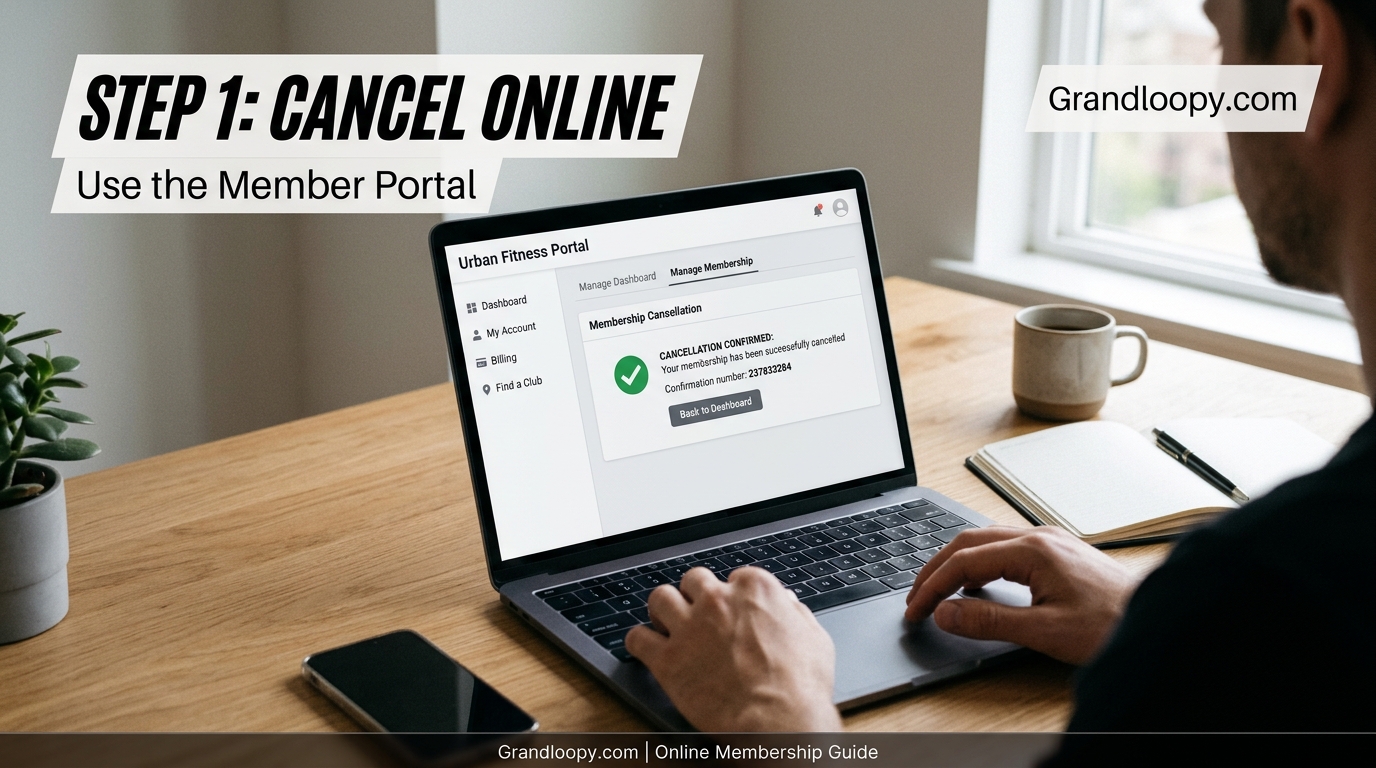
The member portal on planetfitness.com is the fastest way to cancel. It is the only channel that gives you a timestamp without leaving the house, and it is the first method to try.
Planet Fitness lists three ways to end a membership in its official FAQ: the online member portal, a visit to your home club, and written notice by mail.
Pick the one that fits where you live.
Follow these steps in order, and do not skip the last one. The confirmation is your only proof if the club keeps billing you, and without it you have no evidence.
1. Find your next billing date and your annual fee date. Log in to your account first, and count back from both dates. Cancel by the 10th, and at least 8 days before billing.
2. Go to planetfitness.com and select My Account. Use a web browser, not the app, because the official FAQ names the member portal on the website, and the app is not a listed channel.
3. Sign in with the email and password on your membership. Use the same login you use in the PF app, because the app and the website share the same account.
4. Open your membership page. Look for the cancel option under wording like Manage Membership, then Cancel Membership. The exact labels shift a little between the site and the app.
5. Select the cancel option and follow the prompts. Answer any questions about your reason for leaving, and confirm your request when the portal asks you to.
6. Save everything. Screenshot the final screen with the date visible, and keep the confirmation email, which members report arriving within 24 to 72 hours.
7. Check your next statement. Verify that the membership has ended and that no new charge appears. If a charge appears, the cancellation may not have registered.
What to Do If There Is No Cancel Option
If the cancel option is missing, your club may handle cancellations itself.
Planet Fitness says procedures vary by location, and not every account shows the option, so switch to a club visit or mailed notice the same day.
Do not wait and try again next week. The deadline clock keeps running, and a missing option on the 9th becomes a missed deadline on the 11th, and that costs you a month.
Members widely report the Manage button simply not working, and a broken page is not a cancellation. If the portal fails, the certified-mail route in Method 3 works at every club in America.
What to Do If the Manage Button Does Not Work
A broken button is the most common online cancellation problem. Try a different browser first, then try a desktop computer instead of a phone, and clear your cache before you try again.
If it still does not work, do not keep clicking.
Switch to certified mail the same day, because the letter creates proof and the portal does not, and the deadline does not wait for the website to be fixed.
Take a screenshot of the broken page with the date visible. That screenshot helps if you later dispute a charge, because it shows you tried to cancel before the deadline.
Method 2: Cancel in Person at Your Home Club
Visiting your home club in person works at every location.
You talk to a front desk associate, sign a form, and leave with proof the same day, and no website or app stands between you and the cancellation.
Go to your home club, not any convenient club. Your home club is the one where you signed up, and it is the only club that can cancel your membership without extra steps.
Some members report being told to cancel at the club instead of online, and clubs also report they cannot cancel memberships from other locations. Either way, the home club is the place that works.
1. Check the deadline first. Cancel by the 10th of the month, and at least 8 days before your billing date, because the same two deadlines apply to in-person cancellations.
2. Bring your ID and your membership card or app. The front desk needs to identify your account, and a photo ID plus your membership details makes the visit quick.
3. Tell the associate you want to cancel. Say the word cancel clearly, and do not accept a freeze or a pause unless that is what you actually want.
4. Sign the cancellation form and ask for a copy. The signed form is your proof, and a copy in your hands is worth more than a verbal promise from the desk.
5. Ask for the effective date in writing. Confirm the last day of your membership and the last charge, and write the date down before you leave the building.
6. Check your bank statement after the next billing date. Verify that no new charge appears, and keep the signed form until the final statement is clean.
Expect an offer to stay. Staff may offer a freeze, a lower tier, or a free month, and the right answer depends on what you want, not on what the offer sounds like.
Freezing Versus Cancelling at the Desk
A freeze pauses your membership, and a cancellation ends it. If you are travelling or injured, a freeze keeps your membership alive without charging you, and you can restart it later.
Do not accept a freeze when you mean to cancel. A frozen membership can restart and charge you again, and the restart date is easy to miss if you are not watching for it.
If you do freeze, get the freeze start date and the restart date in writing. Then set a reminder for the restart date, because the charges resume automatically.
Method 3: Cancel by Certified Mail (Works Everywhere)
Certified mail with return receipt works at every Planet Fitness club in America. It costs about 5 to 9 dollars, and it creates proof that your cancellation was received, which no other method guarantees.
The official FAQ allows written notice by mail to your home club, and this is the method that never depends on a website, an app, or a person at a desk.
If the portal fails and the club is far away, mail is the answer.
Mail the letter at least 10 days before your billing date. That covers the 7-day rule, the 8-day rule, and the 10th-of-month rule, with a few days to spare for delivery.
1. Find your home club’s street address. Use the club locator on planetfitness.com, and use the full street address, not a P.O. box, because certified mail needs a street address.
2. Write the letter using the template below. Fill in your details, sign it by hand, and keep a copy for yourself before you seal the envelope.
3. Send it certified mail, return receipt requested. Ask the post office for a tracking number and the green card, and pay the fee, which is about 5 to 9 dollars.
4. Keep the tracking receipt and the green card. The green card comes back signed by the club, and that signature is your proof that the club received your cancellation on a specific date.
5. Check your bank statement after the next billing date. If a charge appears after the green card date, the green card is the evidence that wins the dispute.
6. Follow up by phone or in person if no charge stops. Bring the green card with you, and ask the club to process the cancellation that was already received.
Certified Mail Letter Template (Copy and Fill In)
Use this template word for word, and fill in the bracketed parts. It contains every detail the club needs to find your account, and nothing the club can use to delay the cancellation.
[Your full name]
[Your mailing address]
[Your email address]
[Your phone number]
[Date of letter]
[Home club name and street address]
Subject: Cancellation of Membership, Effective Immediately
To the manager of [home club name]:
I am writing to cancel my Planet Fitness membership, effective immediately.
My name is [your full name], and my member ID is [your member ID number].
My home club is [home club name], at [home club street address].
Please cancel my membership and stop all future billing on the date you receive this letter.
Please confirm my cancellation in writing at [your email address] within 7 days.
Thank you, [Your signature]
[Your printed name]
Do not include your payment card number in the letter. The club already has your payment details, and a letter with a card number is a security risk if it is lost in the mail.
Can You Cancel Planet Fitness on the App?
The answer depends on which source you trust, and the sources conflict.
One well-researched guide says the app works chain-wide since May 2025, and several others say the app does not work at all, so this section reports both.
The official FAQ names only the member portal on the website, and it does not name the app as a cancellation channel.
That is the safest fact to act on, and it is why this guide tells you to use a browser.
Renood reports that online cancellation through the website and the app became available chain-wide on May 14, 2025.
The same guide cites CEO Colleen Keating, who confirmed the change on the August 6, 2025 earnings call.
Three other guides disagree. GymAdapt, Reverbico, and GymPricing all say the app is not a cancellation channel, and they point to the official FAQ, which names only the web portal.
GymPricing adds that availability depends on your membership type and your home club, and that not every franchise has switched the online option on. That matches the pattern of members reporting a missing cancel button.
Use a browser, not the app. Open planetfitness.com in a web browser on your phone or computer, and you follow the channel the official FAQ actually names.
Deleting the app never cancels anything. Your membership lives in Planet Fitness’s system, not on your phone, and uninstalling the app leaves the billing exactly where it was.
Can You Cancel Planet Fitness by Phone or Email?
Phone is not a cancellation channel. The official FAQ lists three ways to cancel, and phone is not one of them, so calling the club will not end your membership.
Some members report calling the customer service line at 1-888-237-9005.
That number is reported by a low-authority source, and it has not been verified at the time of writing, so re-check it on planetfitness.com before you dial.
Email is also not a listed channel. Some clubs may accept an email as a courtesy, but the official FAQ does not name email, and a club that ignores your email has broken no rule.
Do not rely on a phone call or an email to meet a deadline.
If the 10th is coming, use the portal, visit the club, or mail a certified letter, because those are the three methods the FAQ recognises.
What Cancelling Planet Fitness Costs
Cancelling is free for most members, and it costs 58 dollars for one group. The difference is the 12-month minimum term, and knowing which group you are in saves you a surprise.
Planet Fitness memberships come in two tiers, Classic and Black Card, and in two commitment types, minimum-term and no-commitment. The commitment type decides your cancellation fee, not the tier.
Re-verify every fee on planetfitness.com and on your membership agreement before you cancel. Prices and terms vary by club and by state, and the numbers here are the figures the best guides report.
|
Fee |
Amount |
When it applies |
Source |
|---|---|---|---|
|
Early cancellation buyout |
$58 |
Ending a 12-month minimum-term membership early |
Planet Fitness official FAQ (via RecordingLaw) |
|
No-commitment cancellation |
$0 |
Cancel any time after the minimum term, or on a no-commitment plan |
Planet Fitness official FAQ (via RecordingLaw) |
|
Annual fee |
$49 |
Once a year, on your join-date anniversary |
Planet Fitness official FAQ (via RecordingLaw) |
|
Classic monthly dues |
$15 a month |
New members; raised from $10 in 2024 |
Competitor-reported (re-verify) |
|
Black Card monthly dues |
$24.99 a month |
Black Card tier |
Competitor-reported (re-verify) |
The 58 dollar buyout only applies if you are still inside a 12-month minimum term. Once that term ends, your membership becomes month-to-month, and you can cancel any time with no fee.
The annual fee is not refunded.
If it is charged before your cancellation takes effect, it stays charged, and the only way to avoid it is to cancel before the 25th of the month before your annual-fee month.
There is no prorating. If you cancel mid-month, you keep access until the end of the paid period, and you do not get a partial refund for the unused days.
The $58 Buyout, Explained
The buyout lets you end a 12-month minimum-term membership early for 58 dollars. It is a fixed fee, not a percentage, and it is cheaper than paying the remaining months of dues.
If you signed a 12-month contract and you are in month 4, paying 58 dollars to leave is cheaper than paying 8 more months. That is the calculation the buyout is designed for.
If you are past the 12-month term, the buyout does not apply. Your membership is month-to-month, and you cancel free by following the deadline rules.
Annual Fee: $49 a Year, on Your Join Date
The annual fee is 49 dollars once a year, charged on the anniversary of your join date. It applies to both Classic and Black Card memberships, and it is separate from your monthly dues.
Your annual fee month is not January, and it is not your billing date. It is the month you joined, and you can find the exact date in your member portal or on your agreement.
Cancel by the 25th of the month before your annual fee month, and you skip that year’s fee. Cancel after the 25th, and the 49 dollars is charged and not refunded.
Freeze Your Membership Instead of Cancelling
A freeze pauses your billing and your access for a set period. It is the right choice if you are travelling, injured, or taking a break, and you plan to come back.
Most clubs let you freeze for 1 to 3 months, and some allow longer freezes for medical reasons with a doctor’s note.
The exact limits vary by club, so ask your home club before you decide.
A freeze is not free money. Your billing restarts automatically when the freeze ends, and if you forget the restart date, you pay for a membership you are not using.
Freeze when your break has an end date. A three-month trip, a recovery period, or a summer away are all good reasons to freeze instead of cancelling.
Cancel when your break has no end date. If you do not know when you will go back, cancelling is cheaper, because you can rejoin later with no penalty.
If you feel tired even after 8 hours of sleep, rest may be the real problem, not your workout routine, and a break from the gym will not fix it.
Get the freeze dates in writing. Ask for the start date and the restart date on paper, and set a reminder for the restart date the same day you freeze.
Which Cancellation Method Should You Pick?

Pick the method that matches your deadline and your distance from the club.
All three methods work, but they differ in speed, proof, and cost, and the right choice depends on how much time you have left.
|
Method |
Speed |
Proof |
Cost |
Best when |
|---|---|---|---|---|
|
Online portal |
Minutes |
Screenshot + email |
Free |
You have 8+ days before billing |
|
In person |
Same day |
Signed form |
Free |
Your club is nearby |
|
Certified mail |
2-5 days |
Green card signature |
$5-$9 |
Portal is broken or club is far |
|
Phone |
Not a channel |
None |
Free |
Never rely on it alone |
|
|
Not a channel |
None |
Free |
Never rely on it alone |
Online is fastest, in person is simplest, and certified mail is strongest. If you have time, use the portal. If the portal fails, mail a letter the same day.
Never rely on phone or email alone. Neither is a listed channel in the official FAQ, and neither creates proof that the club received your cancellation.
What Happens After You Cancel
Your membership stays active until the end of the paid period. You keep your gym access, your app access, and your Black Card guest privileges until the last paid day, and then they stop.
Your final charge is the last month you paid for. After that, no new charges should appear, and your payment method should show nothing from Planet Fitness or its billing partner.
Check your next two statements. The first statement confirms the final charge, and the second statement confirms that the charges have stopped for good.
Your billing partner is ABC Fitness Solutions. The charge on your statement may show as ABC Fitness Solutions, not Planet Fitness, so look for both names when you check.
Instant payments have changed how small businesses handle cash flow, and gyms now draft dues on a fixed monthly schedule instead of waiting for a check.
Your membership is not under Apple Account Subscriptions. Cancelling through your iPhone settings does nothing, because Planet Fitness bills through ABC Fitness Solutions, not through Apple.
You can rejoin any time. Cancelling carries no penalty, and rejoining later usually means signing a new agreement at the current price, which may differ from your old rate.
What to Do If Planet Fitness Keeps Charging You
Charges after cancellation are the most common complaint about Planet Fitness. The dispute has a clear order, and following it in sequence gives you the strongest chance of getting your money back.
Start with your proof. You need the confirmation email, the signed form, or the green card, plus the date you cancelled and the date of the unwanted charge.
Step 1: Gather your proof. Collect the confirmation email or screenshot, the signed form, or the certified mail green card, and note the exact dates.
Step 2: Contact your home club in writing. Show the proof, ask for the charge to be reversed, and ask for written confirmation that the membership is closed.
Step 3: Dispute the charge with your bank. If the club does not reverse it, call your bank, explain that you cancelled and were charged anyway, and send the proof.
Step 4: File a complaint with the BBB. The Better Business Bureau takes consumer complaints, and a filed complaint creates a record that the club must answer.
Step 5: File a complaint with your state attorney general. State attorneys general enforce consumer protection law, and a pattern of complaints can trigger an investigation.
Step 6: File a complaint with the FTC. The Federal Trade Commission collects complaints about unfair billing, and your complaint adds to the record on gym cancellation practices.
Keep every document. Save the confirmation, the green card, the bank dispute reference number, and every complaint reference number, because a dispute that drags on needs a paper trail.
Why Do Gyms Make Cancelling Hard?
Gyms earn money from members who pay and do not show up. A member who cancels stops paying, so the business has a reason to make the exit slower than the entrance.
Gyms are subscription services, and the business model rewards keeping members paying even when they stop showing up.
Planet Fitness is not alone in this.
The pattern is the same across the gym industry, and it is the reason regulators in several states have written laws that force gyms to accept written and online cancellations.
That is why the certified-mail method matters. It removes the friction, because a letter with a return receipt is proof no club can ignore, and the law is on your side.
Your Rights: The FTC Click-to-Cancel Rule and State Laws
You have rights when you cancel a gym membership, and they come from state law, not from a federal rule.
The federal rule that would have protected you was vacated before it took effect, so state law does the work.
Read this section before you cancel, because knowing your rights changes how you act.
A member who knows the law does not accept a phone-only cancellation, and does not pay a fee the law does not allow.
The FTC Click-to-Cancel Rule Was Vacated
The Federal Trade Commission’s click-to-cancel rule was vacated in full by the Eighth Circuit on July 8, 2025, before it ever took effect.
The rule would have forced companies to make cancelling as easy as signing up, and it never became law.
The FTC reopened rulemaking in March 2026, with comments due April 13, 2026.
As of the time of writing, no replacement rule exists, and there is no federal right to cancel a gym membership with one click.
Do not rely on the FTC rule. It does not exist, and anyone who tells you it forces Planet Fitness to cancel online is wrong, because the rule was vacated.
State Laws That Require Online and Written Cancellation
State laws are what actually protect you, and they vary by state.
California and New York have the strongest rules, and several other states have their own versions, so check the law where your home club is located.
California’s AB 2863 requires automatic-renewal offers to allow online cancellation, and it requires a clear disclosure of the terms before you sign up. New York has similar rules for subscription services and gym memberships.
Many states also require gyms to accept written cancellation by mail, and to stop billing within a set number of days after receiving it. That is why the certified-mail method is powerful in every state.
Your membership agreement is also a source of rights. Read it before you cancel, because it states your club’s own cancellation terms, and a club that breaks its own agreement is easier to dispute.
Alternatives After Cancelling Planet Fitness
Leaving Planet Fitness does not mean leaving fitness. The best replacement depends on what you actually used, and most members used only a small part of what they paid for.
Ask yourself what you did at the gym. If you walked on a treadmill, you need a walking route, not a new gym.
If you lifted weights, you need a gym with free weights, not a treadmill.
|
Option |
Best for |
Typical cost |
Trade-off |
|---|---|---|---|
|
Home workouts |
Bodyweight and light weights |
Free to low |
Needs self-discipline |
|
Walking and running outdoors |
Cardio and mood |
Free |
Weather dependent |
|
Another budget gym |
Same equipment, different brand |
$10-$25 a month |
Same cancellation rules |
|
Community centre gym |
Low cost, local |
$20-$40 a month |
Limited hours |
|
Class-based studio |
Motivation and coaching |
$100+ a month |
Much more expensive |
Home workouts are the cheapest replacement. Bodyweight routines, resistance bands, and a pair of dumbbells cover most of what a casual gym member does, and they cost nothing per month.
Your muscles will feel sore after the first sessions back, and that soreness is normal after a break from training.
Walking is the most underrated replacement. A daily walk gives you the cardio most Planet Fitness members actually did, and it costs nothing and needs no membership.
Your heart rate stays high after exercise for a while, and that is normal, so walk at a pace where you can still hold a conversation.
Check the cancellation terms before you join a new gym.
Read the agreement first, find the cancellation method, and confirm that you can cancel online or by mail, because the next gym can have the same traps.
Key Takeaways
Cancel online through the member portal at planetfitness.com. It is the fastest method, and it is the channel the official FAQ names first.
Cancel by the 10th of the month to stop next month’s dues. Monthly dues draft on the 17th, and cancelling on the 11th costs you a full month.
Cancel by the 25th of the month before your annual-fee month to skip the 49 dollar annual fee. The fee runs on your join-date anniversary, and it is not refunded once charged.
Use a browser, not the app. The official FAQ names the web portal, and the app’s status as a cancellation channel is disputed between sources.
Mail a certified letter if the portal fails. It costs about 5 to 9 dollars, it works at every club, and the return receipt is proof no club can ignore.
Save your confirmation. A screenshot, a confirmation email, a signed form, or a green card is the only thing that wins a billing dispute.
Do not rely on the FTC click-to-cancel rule. It was vacated on July 8, 2025, and state laws are what protect you now.
Frequently Asked Questions
How do I cancel my Planet Fitness membership online?
Log in to the member portal at planetfitness.com, open My Account, find the cancel option under Manage Membership, confirm, and save the confirmation email and a screenshot.
Can I cancel Planet Fitness membership online?
Yes, through the member portal on planetfitness.com. The official FAQ lists the online portal as one of three channels, alongside in person and written notice by mail.
Can I cancel my Planet Fitness membership on the app?
The sources conflict. Renood reports the app works chain-wide since May 2025, while GymAdapt, Reverbico, and GymPricing say the app is not a channel. Use a browser to be safe.
Can I cancel Planet Fitness by phone?
No. Phone is not a listed cancellation channel in the official FAQ. Calling the club will not end your membership, so use the portal, a visit, or certified mail.
Can I cancel Planet Fitness by email?
Email is not a listed channel either. Some clubs may accept it as a courtesy, but the official FAQ does not name it, so do not rely on email to meet a deadline.
How much does it cost to cancel Planet Fitness?
Nothing, if you are past a 12-month minimum term or on a no-commitment plan. Ending a 12-month minimum-term membership early costs a 58 dollar buyout.
What is the Planet Fitness cancellation fee?
The early cancellation buyout is 58 dollars, and it applies only inside a 12-month minimum term. There is no fee for cancelling a month-to-month membership.
When is the best time to cancel Planet Fitness?
By the 10th of the month, and at least 8 days before your billing date. That stops next month’s dues, and it satisfies every version of the deadline rule.
How do I avoid the $49 annual fee?
Cancel by the 25th of the month before your annual-fee month. The fee is charged once a year on your join-date anniversary, and it is not refunded once charged.
Does Planet Fitness prorate my last month?
No. There is no prorating, so a mid-month cancellation keeps your access until the end of the paid period, and you do not get a partial refund.
Can I cancel Planet Fitness at any location?
No. Cancel at your home club, the one where you signed up. Other clubs may not be able to cancel a membership that belongs to a different location.
Can I cancel Planet Fitness if I moved?
Yes, by certified mail. Send a letter to your home club’s street address, certified mail with return receipt, and the club must process it even if you live far away.
How long does it take to cancel Planet Fitness?
Online and in-person cancellations take effect right away, though changes can take up to 7 days to process. Certified mail takes 2 to 5 days for delivery.
Will I get a confirmation email after cancelling?
Members report receiving a confirmation email within 24 to 72 hours of an online cancellation. If you get nothing after 72 hours, contact your home club.
Does deleting the Planet Fitness app cancel my membership?
No. Deleting the app never cancels anything. Your membership lives in Planet Fitness’s system, not on your phone, and the billing continues.
Can I freeze my Planet Fitness membership instead?
Yes. Most clubs let you freeze for 1 to 3 months, and some allow longer medical freezes with a doctor’s note. Get the freeze and restart dates in writing.
What happens if I cancel mid-month?
You keep access until the end of the paid period, and no partial refund is given. Your membership ends on the last paid day, and no new charges should appear.
Why is Planet Fitness still charging me after I cancelled?
The cancellation may not have registered, the deadline may have passed, or the charge may be for the final paid month. Check your confirmation, then contact the club in writing.
How do I dispute a Planet Fitness charge?
Gather your proof, contact the home club in writing, then dispute with your bank, and file complaints with the BBB, your state attorney general, and the FTC if needed.
Who bills my Planet Fitness membership?
ABC Fitness Solutions is the billing partner, so the charge on your statement may show as ABC Fitness Solutions instead of Planet Fitness. Look for both names.
Is Planet Fitness under Apple subscriptions?
No. Planet Fitness is not under Apple Account Subscriptions, because it bills through ABC Fitness Solutions, so cancelling in your iPhone settings does nothing.
Can I rejoin Planet Fitness after cancelling?
Yes. Cancelling carries no penalty, and you can rejoin any time by signing a new agreement, usually at the current price, which may differ from your old rate.
Does the FTC click-to-cancel rule help me cancel Planet Fitness?
No. The rule was vacated in full by the Eighth Circuit on July 8, 2025, before it took effect, and no replacement rule exists yet. State laws are what protect you.
What is the Planet Fitness annual fee date?
It is the anniversary of your join date, charged once a year. Check your member portal or your membership agreement for the exact month, because it is not January.
Can I cancel a Planet Fitness Black Card membership online?
Yes. The same three channels apply to both Classic and Black Card memberships, and the same deadlines and the same 58 dollar buyout rules apply.
Conclusion
How to cancel Planet Fitness membership online comes down to two things: the portal, and the dates.
Log in to the member portal at planetfitness.com, cancel by the 10th, and cancel by the 25th of the month before your annual-fee month.
If the portal works, save the confirmation and check your next statement.
If the portal fails, mail a certified letter the same day, because the letter works at every club and the green card is proof.
Re-verify the deadlines and the fees on planetfitness.com and on your membership agreement before you cancel.
Terms vary by club and by state, and the numbers in this guide are the figures the best sources report at the time of writing.