How to Beat ALEKS by Using AI: Study Smarter in 2026
How to beat ALEKS by using AI starts with a clear fact: AI works best as a tutor, not as a shortcut.
The students who raise their scores fastest use AI to explain concepts, generate practice, and find their weak topics.
ALEKS is an adaptive learning platform from McGraw Hill, and it is built to defeat shortcuts. It re-tests what you learned through Knowledge Checks, so copied answers disappear from your pie within days.
The method below uses AI the way the top ranking guides describe it. It pairs ALEKS diagnostics with AI explanations, practice problems, and a study plan.
It also explains detection honestly, so you know exactly where the line sits.
Every fact below names its source and its date. ALEKS mechanics come from McGraw Hill’s own student FAQ. Tool prices come from pricing roundups checked in October and November 2026.
Competitor claims are labelled as such, never presented as verified.
The Short Answer: AI Is a Tutor, Not a Shortcut
AI helps ALEKS in three ways. It explains a concept in plain language, it generates practice problems on a weak topic, and it builds a study schedule from your pie chart.
Those three uses are fast, effective, and safe.
AI does not help ALEKS in one way. It cannot submit answers for you and keep them.
ALEKS re-tests every topic through Knowledge Checks, and anything you did not actually learn gets removed from your pie.
That is the whole strategy in one paragraph. Use AI before the ALEKS question, to learn the idea. Then answer the ALEKS question yourself, from understanding. Repeat that loop until the topic is mastered.
| Approach | What happens | Knowledge Check result |
|---|---|---|
| AI explains, you answer | You learn the method | Topic stays mastered |
| AI answers, you copy | You skip the method | Topic gets removed |
| AI generates practice, you solve | You build real skill | Topic stays mastered |
| Answer bot submits for you | You learn nothing | Topics drop, instructor alerted |
What Beat ALEKS Actually Means
Beating ALEKS means finishing your pie with real mastery. It does not mean tricking the system into a high number.
A high number that does not survive a Knowledge Check is worthless, and it costs you more time than it saves.
Your ALEKS score is a percentage of topics mastered. It reflects the share of the course you can actually demonstrate.
Placement cutoffs use that percentage to put you in a course, so an inflated score places you in a class you cannot pass.
The fastest honest path is closing real gaps. One weak cluster at a time, with AI explaining each concept until it clicks, moves the score faster than any shortcut. The sections below show exactly how.
The One Rule That Keeps You Safe
Attempt every ALEKS question yourself first. Then use AI to explain the idea, not to hand you the answer. That single rule separates legitimate study help from academic dishonesty in almost every school policy.
Check your syllabus and your student handbook before you start. Rules differ by school and by instructor. Some allow AI tutoring freely. Some restrict AI during assessments.
Your syllabus is the authoritative source, not a blog post.
Never use AI during a Knowledge Check or a proctored test. Those are assessments, not study sessions.
Using AI there is cheating under most academic integrity policies, and the consequences run from a failed assessment to a formal finding.
How ALEKS Actually Works (And Why Shortcuts Fail)
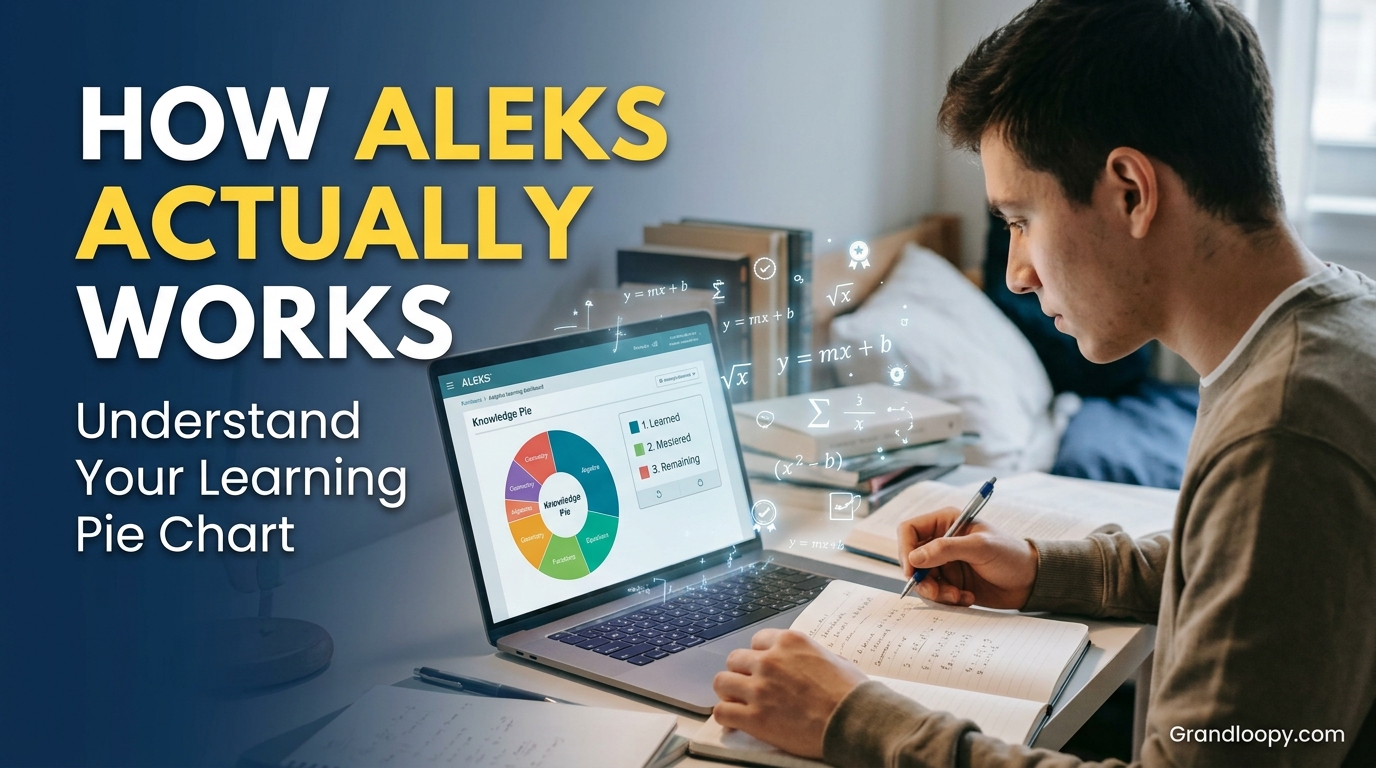
ALEKS stands for Assessment and LEarning in Knowledge Spaces. It is McGraw Hill’s adaptive learning system for math, chemistry, statistics, and accounting.
It is built on Knowledge Space Theory, a mathematical model from cognitive science developed by Jean-Claude Falmagne and Jean-Paul Doignon.
The system maps what you know and what you are ready to learn. Instead of a fixed chapter order, it builds a map of topics with prerequisites.
Each question depends on your previous answers, so the test adapts question by question.
McGraw Hill states that when ALEKS offers a topic as ready to learn, students master it at least 90 percent of the time. That is a McGraw Hill claim, not an independent finding.
The design intent is clear: ALEKS only gives you topics whose prerequisites you already have.
McGraw Hill also describes ALEKS as rooted in 25 years of research and analytics. That is another McGraw Hill claim.
The platform’s age and research base are real, but no independent study is cited here to confirm the 90 percent figure.
The ALEKS Pie Chart Explained
Your ALEKS pie is a visual map of your course. Each slice is a subject area, such as equations, functions, or exponents.
The filled part of each slice shows the topics you have learned or mastered.
The number in the middle counts your total mastered and learned topics. The darker portion of each slice represents topics you have mastered.
The lighter portion represents what you have yet to learn, according to the ALEKS student tour.
The pie is not a progress bar you fill by answering questions. It is a knowledge map. Topics move in and out of it as Knowledge Checks confirm or reject your mastery.
That is why the pie can shrink.
Read the pie before every study session. It tells you exactly which clusters are weak, so AI practice can target those clusters instead of wasting time on topics you already know.
Knowledge Checks: The Part Cheaters Forget
A Knowledge Check is a short adaptive assessment of about 20 to 30 questions. McGraw Hill’s student tour says approximately 25 to 30 questions.
The first one, the Initial Knowledge Check, builds your starting pie and learning path.
Later checks re-test what you learned. Progress Knowledge Checks come at set intervals during the course. Scheduled Knowledge Checks are set by your instructor like an assignment and can count toward your grade.
Post-module checks confirm a finished module.
There is no feedback during a Knowledge Check. ALEKS does not tell you whether an answer was right or wrong while the check runs.
That is deliberate: the check measures you, it does not teach you.
Knowledge Checks are triggered by time and by progress.
According to ExamClutch’s reading of McGraw Hill documentation, a progress check fires after 20 topics with 5 hours of learning, after 10 hours of learning, or after 60 days.
Treat those triggers as reported by ExamClutch, not as a direct McGraw Hill quote.
McGraw Hill’s FAQ lists one reason an instructor might schedule a Knowledge Check: worry that students received help on the last one.
That line, reported by Silent Student from the official FAQ, shows that instructors use checks as an integrity tool as well as a learning tool.
| Check type | When it happens | What it does |
|---|---|---|
| Initial Knowledge Check | First time you enter the course | Builds your starting pie and learning path |
| Progress Knowledge Check | Automatically, at set intervals | Re-tests what you learned |
| Post-module check | When you finish a module | Confirms that module’s topics |
| Scheduled Knowledge Check | When your instructor schedules it | Can count toward your grade, can be proctored |
A failed Knowledge Check removes topics from your pie. If you miss a question on a topic you had learned, that topic can move from Learned or Mastered back to Remaining.
Linked topics can go with it, so one miss can cost several topics.
Lost topics come back faster than new ones. They are flagged as Needs More Practice, and ALEKS requires fewer correct answers to restore them than it did to learn them.
The system is built to check retention, not to punish you.
That is why copying answers fails. A student who copies 25 topics reaches a Knowledge Check, cannot demonstrate them, and loses 15 of them.
The copy approach creates more work than learning the material in the first place.
The 5-Point Rule and the Explanation Button
Learning Mode is where most of your ALEKS time goes. It is also called your Learning Path. ALEKS loads topics you are ready to learn, sorted from easiest to hardest, in the Topic Carousel.
You can switch topics without losing work.
Each topic follows a point system, described in McGraw Hill’s student FAQ. A correct answer gives you one point. Two correct answers in a row without opening the Explanation page give you two points.
A wrong answer subtracts one point, and the total never goes below zero.
When you reach five points, the topic is learned. It is added to your pie and to the Learned category in your progress bar.
A real-time progress indicator in the upper-right corner shows your points within the current topic.
| What you do | Effect on the topic |
|---|---|
| Correct answer | Plus 1 point |
| Two correct in a row, no Explanation | Plus 2 points (double credit) |
| Correct after opening Explanation | Plus 1 point, no double credit |
| Wrong answer | Minus 1 point, never below zero |
| Reach 5 points | Topic is learned and added to your pie |
The Explanation button shows a full step-by-step solution for the problem on screen. McGraw Hill’s FAQ suggests using it to compare your steps and find where you went wrong.
Opening it costs you nothing except the double-credit bonus.
The smart play is to attempt twice, then open Explanation. Two unaided attempts preserve your chance at double credit. If both fail, Explanation shows the method, and you rework the next problem on your own.
ALEKS gives a full worked solution whenever you press Explanation in Learning Mode. After repeated misses on a topic it shows the correct answer itself.
That built-in help is free, and it matches ALEKS format exactly.
Learned vs Mastered vs Remaining
Your progress bar splits finished topics into two groups. Learned means you practiced the topic successfully in the Learning Path, but ALEKS has not tested it in a Knowledge Check yet.
Mastered means you showed you still know it in a Knowledge Check.
Remaining is the number of topics you still need to learn. It includes topics you lost in a Knowledge Check.
The number in the middle of the pie is the total of mastered and learned topics.
| Status | What it means | Can it change after a Knowledge Check? |
|---|---|---|
| Learned | Practiced successfully, not yet assessed | Yes, retained topics become Mastered, missed ones return to Remaining |
| Mastered | Confirmed in a Knowledge Check | Yes, a missed related question can send one back |
| Remaining | Still need to learn, including lost topics | Yes, strong answers can move some into Mastered |
Many students misread the pie as a running total of finished work. It is not quite that. Learned topics are provisional until a Knowledge Check confirms them.
A Knowledge Check is that confirmation step, and it can go either way.
ALEKS also warns you when you press the I Don’t Know button. It affects your result, because ALEKS treats that topic as not known.
Clicking it just to finish faster puts topics you already know back in your path, and you will have to learn them again.
Which AI Tools Actually Help With ALEKS
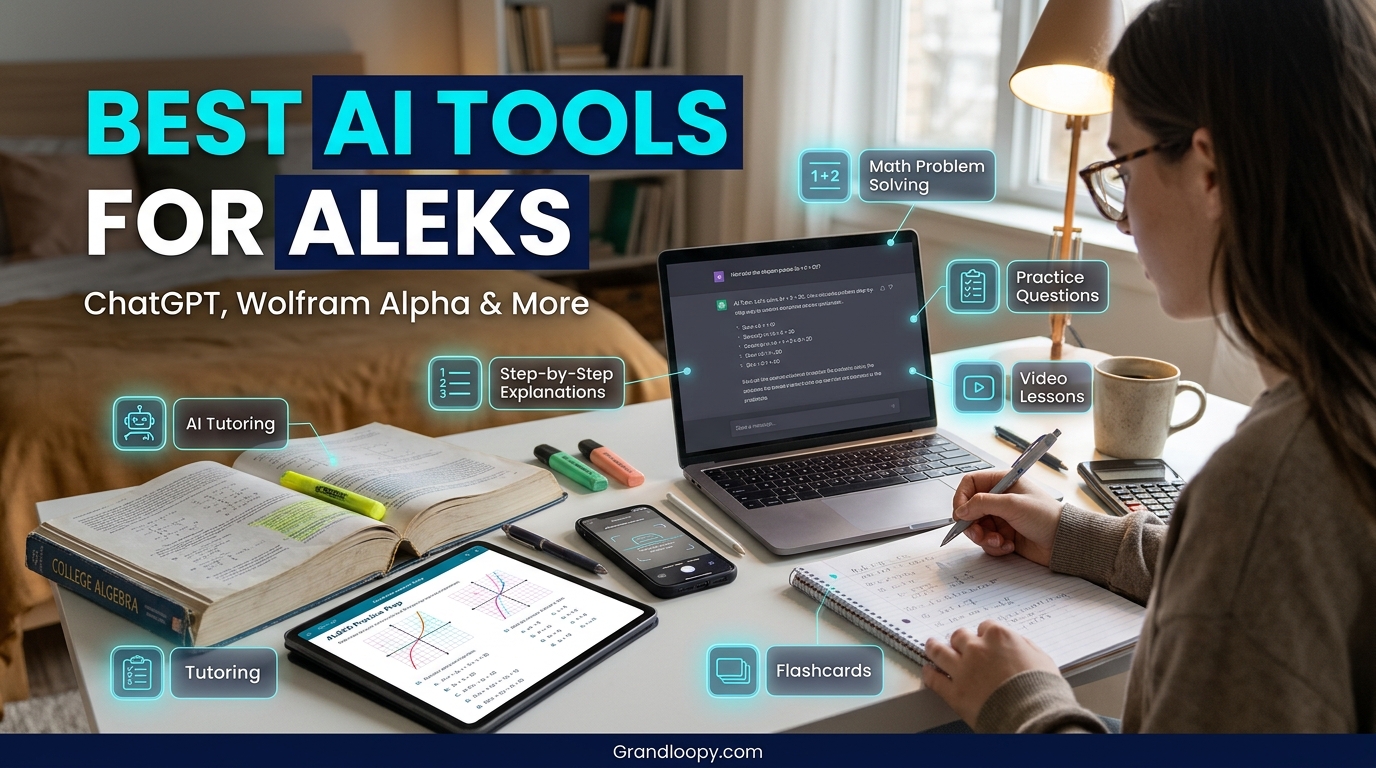
Six tool types cover nearly every ALEKS need.
Chatbots explain concepts, symbolic solvers check arithmetic, camera solvers scan a problem, video platforms teach the idea, flashcard systems lock in recall, and the ALEKS Prep Module ties it all to the official format.
No single tool does all six jobs well. The best setup is a pair: a reasoning chatbot that explains the method, plus a symbolic engine that checks the arithmetic.
That pairing is the consensus across the 2026 AI math tool roundups.
Free covers most ALEKS homework. Photomath scans problems free, Khan Academy is free, Microsoft Math Solver is free, and ChatGPT Study Mode is available on every plan.
Pay only when a free tier blocks a feature you actually need.
ChatGPT and Claude (Concept Tutors)
ChatGPT is the best all-round AI tutor for ALEKS. It explains concepts in plain language, walks through multi-step problems, and answers follow-up questions.
Its Study Mode, available on all plans according to OpenAI’s Help Center in October 2026, asks check-in questions and quizzes you instead of just giving answers.
ChatGPT Plus costs 20 dollars a month, with no annual option. A cheaper Go plan costs 8 dollars a month.
The free plan covers everyday chats and Study Mode, with limits on uploads and advanced features. Prices are from October 2026 pricing roundups, so verify them before subscribing.
Claude is the clearest explainer of the two. It gives detailed, legible explanations and can check math by running code.
Claude Pro costs 20 dollars a month, or 17 dollars a month billed yearly, according to the same October 2026 roundups.
Use chatbots for concepts, not for final answers. Ask for the method, then solve the ALEKS problem yourself.
Chatbots make arithmetic errors and misread question context, and a wrong answer on ALEKS costs you a point and pushes the topic further away.
Related reading on this site: Who Owns Claude AI? Anthropic Explained. It explains who builds Claude, who funds Anthropic, and who controls the company, with every figure labelled by source and date.
Related reading on this site: Why Does ChatGPT Give Different Answers?. It explains why the same prompt can produce different answers, which matters when you ask an AI to solve a math problem twice.
Wolfram Alpha and Mathway (Step-by-Step Solvers)
Wolfram Alpha is the tool to trust when the exact number matters. It computes answers with its own algorithms and knowledge base, instead of predicting text.
It covers algebra, calculus, statistics, chemistry, and more, with step-by-step solutions on the paid tier.
Wolfram Alpha Pro costs 9.99 dollars a month, or 60 dollars a year for students. The free tier gives computed answers without step-by-step solutions.
Pro adds steps, practice problems with hints, and photo input in the phone apps, according to October 2026 pricing roundups.
Wolfram Alpha has been built on more than 35 years of research and development. That figure comes from its own homepage, verified in November 2026.
It is a computation engine, not a chatbot, so it does not explain concepts in conversation the way ChatGPT does.
Mathway is the quickest multi-subject solver. It covers math, chemistry, and physics, with 59 or more free calculators across 11 subjects.
The free tier gives answers, and an optional subscription is needed to see the full work for every step.
Mathway costs 9.99 dollars a month or 39.99 dollars a year for full step-by-step work. That price comes from October 2026 roundups, and the exact price appears after sign-in, according to the same sources.
Use Mathway to check a finished answer, not to learn a new concept.
Photomath and Microsoft Math Solver (Camera Solvers)
Photomath scans a printed problem with your phone camera and shows every step. It is the fastest way to check a homework problem, and its core step-by-step solutions for symbolic math are free.
Photomath Plus costs 9.99 dollars a month or 69.99 dollars a year, and it adds animated tutorials.
Photomath is phone-first. It works best on printed worksheets and textbook problems.
It is less useful for ALEKS problems on screen, where you would need to photograph your monitor, and its extra explanations sit behind the Plus tier.
Microsoft Math Solver is free and does the same job in a browser. It solves a problem from a photo or typed input and shows steps.
It has no paid tier, which makes it the best free camera solver for ALEKS study sessions.
Camera solvers are checkers, not teachers. They show the steps, but they do not ask you questions or adapt to your confusion. Use them after you attempt the problem, to find where your steps diverged.
Khan Academy and Khanmigo (Free Video Lessons)
Khan Academy is free for learners, teachers, and families. Its homepage, verified in November 2026, reports more than 180 million registered users and more than 63 billion minutes of learning.
It covers math, science, and more with practice and mastery-based learning.
Khanmigo is Khan Academy’s AI tutor. It asks questions back instead of giving answers, which makes it one of the best tools for ALEKS preparation.
It will not let you practice a skill wrong, according to a teacher quoted on the Khan Academy homepage.
Khanmigo costs 4 dollars a month or 44 dollars a year. That price comes from October 2026 pricing roundups.
The free Khan Academy lessons and practice sets cover most ALEKS topics without any payment at all.
Use Khan Academy when a concept is completely new. A five-minute video on factoring quadratics beats ten AI chat replies when you have never seen the idea.
Then use a chatbot to generate practice problems on that topic.
Anki and Quizlet (Spaced Repetition)
Flashcards lock in the formulas and definitions ALEKS tests. Spaced repetition schedules reviews at the moment you are about to forget, which builds durable recall instead of short-term memorization. Anki is free and fully customizable.
Quizlet adds AI-generated sets and a smoother interface.
Build decks from your weak topics, not from the whole course. After each ALEKS session, add the formulas and steps you missed. Review the deck daily for ten minutes.
That habit compounds faster than re-reading notes.
Flashcards do not teach concepts. They store facts you already understand.
If a card keeps failing, go back to a chatbot or a video and relearn the idea, then rebuild the card in your own words.
Gemini and Other Chatbots
Gemini is the best free chatbot value for ALEKS. Its free tier is generous, with Guided Learning and photo homework help.
Google AI Plus costs 4.99 dollars a month and Google AI Pro costs 19.99 dollars a month, according to October 2026 pricing roundups.
Gemini handles photos of homework well. Snap a problem, ask for a step-by-step explanation, and it will walk through it.
Like every chatbot, it can make arithmetic errors, so verify its final answer with Wolfram Alpha or by hand.
DeepSeek is a free open-weight alternative. It is free on the web and strong on competition math, according to October 2026 tool roundups.
It is a good backup when ChatGPT and Claude hit their free limits.
| Tool | Best for | Free tier | Paid price | Shows steps |
|---|---|---|---|---|
| ChatGPT | Concepts, word problems, Study Mode | Yes, Study Mode included | Go 8 dollars a month, Plus 20 dollars a month | Yes |
| Claude | Clear explanations, checking math by code | Yes, limited messages | Pro 20 dollars a month, 17 dollars a month yearly | Yes |
| Gemini | Photo homework, Guided Learning | Yes, generous | AI Plus 4.99 dollars a month, AI Pro 19.99 dollars a month | Yes |
| Wolfram Alpha | Exact computation, algebra, calculus | Yes, no steps | Pro 9.99 dollars a month or 60 dollars a year | Yes, Pro only |
| Photomath | Camera solving, quick checks | Yes, steps included | Plus 9.99 dollars a month or 69.99 dollars a year | Yes |
| Mathway | Quick multi-subject answers | Yes, answers only | 9.99 dollars a month or 39.99 dollars a year | Yes, paid only |
| Khan Academy | Learning a new concept from scratch | Yes, everything | Khanmigo 4 dollars a month or 44 dollars a year | Yes, video lessons |
| Anki | Spaced repetition, formulas | Yes, free | None | Cards, not steps |
All prices in the table come from October 2026 pricing roundups. Chatbot and app plans change often and vary by region, so confirm the price on the vendor’s own page before subscribing.
The table is a comparison, not a quote.
How Much Do AI Tools for ALEKS Cost?
The honest answer is zero dollars for most students. ChatGPT free, Gemini free, Photomath free, Microsoft Math Solver free, Khan Academy free, and Anki free cover nearly every ALEKS study need.
Pay only when a free tier blocks a feature you use daily.
If you pay for one tool, make it a chatbot. ChatGPT Plus at 20 dollars a month or Claude Pro at 20 dollars a month buys the strongest reasoning modes and higher limits.
Those modes matter most on hard multi-step problems, where free tiers cut off first.
If you pay for a second tool, make it Wolfram Alpha Pro. At 9.99 dollars a month or 60 dollars a year for students, it is the cheapest way to verify every answer exactly.
A chatbot explains, Wolfram Alpha checks, and together they catch each other’s errors.
| Setup | Monthly cost | What you get | Best for |
|---|---|---|---|
| Free only | 0 dollars | ChatGPT free, Gemini, Photomath, Khan Academy, Anki | Most ALEKS homework |
| One chatbot | 20 dollars | ChatGPT Plus or Claude Pro | Hard multi-step problems |
| Chatbot plus checker | About 30 dollars | Plus or Pro plus Wolfram Alpha Pro | Students who want every answer verified |
| Full stack | About 40 dollars | Chatbot, Wolfram Alpha Pro, Photomath Plus | Heavy users, exam season |
Chegg Study has no free plan. It requires a subscription, and its price is not published on its public pages in the roundups checked.
Do not budget for Chegg without checking its current price first, and do not treat it as a free tool.
Student discounts exist for several tools. Wolfram Alpha Pro for students is priced at 60 dollars a year, and Khanmigo is 44 dollars a year.
Check each vendor’s student page, because discounts change and some require a school email.
How to Use AI for ALEKS, Step by Step
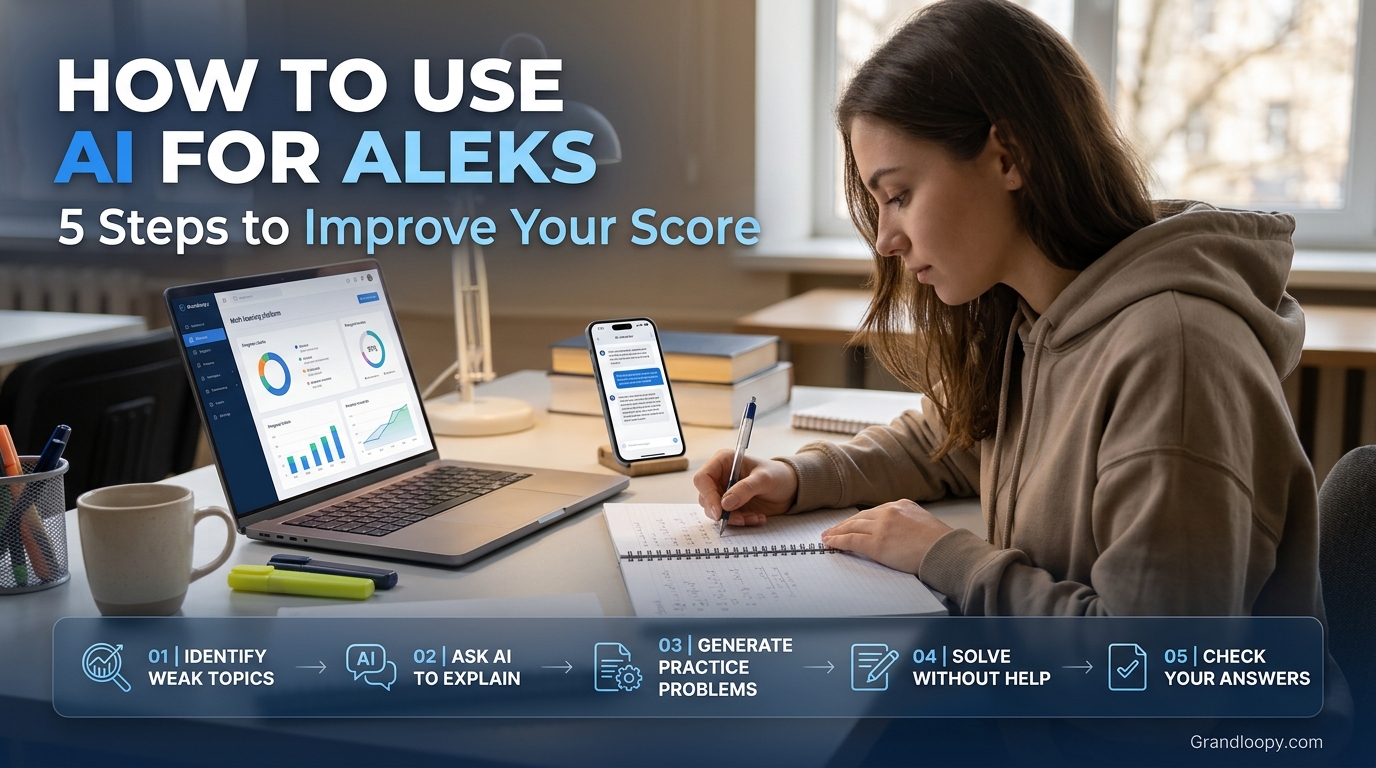
The plan below takes about two weeks for one weak cluster. It works for a placement retake, a course pie, or a Knowledge Check recovery.
It targets the adaptive nature of ALEKS directly, building real skill instead of relying on memorized answers.
Step 1: Take the Initial Assessment Honestly
Take the Initial Knowledge Check without help and without guessing. Guessing quickly to finish faster gives ALEKS an inaccurate starting point, which wastes time later correcting a misleading pie chart.
Use the I Don’t Know button when you genuinely do not know.
The check has about 20 to 30 questions. Each new question is chosen based on how you answered the one before it, so two students rarely see the same set.
You cannot skip it, and there is no feedback during it.
Do the Tools Tutorial first. It is a brief interactive training program that teaches the ALEKS answer editor, the palette you use to type fractions, exponents, and other math.
Knowing the editor prevents losing points to input errors.
Step 2: Read Your Pie Chart and Find Weak Clusters
Open your pie and write down your weakest clusters. Note the slice name, the number of topics remaining, and the specific topics inside it.
Screenshot the pie or copy the list into a note, because you will feed it to the AI in the next step.
Pick one weak cluster, not five. Deep focus on a single concept builds mastery faster than shallow review across every topic at once. Finish one cluster before starting the next.
Check whether the weak cluster has a prerequisite gap. If you cannot factor, you cannot solve quadratics. ALEKS only offers topics whose prerequisites you have, so a stuck topic often means a prerequisite is shaky.
Step 3: Ask AI to Explain One Weak Topic
Describe the exact type of problem and ask for a step-by-step breakdown with a worked example. Name the topic, the part that confuses you, and the level you are at.
A specific prompt gets a specific answer, and a vague prompt gets a vague one.
Ask for multiple explanation styles if the first one does not click. A visual explanation, a real-world example, or a step-by-step breakdown can each unlock understanding differently.
Chatbots are good at rephrasing the same idea five ways.
Use Study Mode or ask the AI to quiz you. ChatGPT Study Mode asks check-in questions instead of handing you answers.
Claude can do the same if you ask it to act as a tutor and quiz you after each step.
Step 4: Generate Practice Problems
Ask the AI to generate five to ten practice problems on the weak topic.
ALEKS never repeats the same question twice, so practicing varied versions of a concept builds more transferable skill than memorizing one solved example.
Ask for problems that vary the numbers, not the idea. Same method, different values. That is how ALEKS generates its own problems, and it is how you build the flexibility the adaptive test demands.
Generate problems slightly harder than the ALEKS ones. If you can solve a harder version, the ALEKS version feels easy.
If you only practice easy versions, the adaptive test will push you past your comfort zone fast.
Step 5: Solve Without Help, Then Check
Solve the practice problems without help, then check your reasoning against the AI explanation.
Work on paper first, because doing the algebra on paper and entering only the final answer is how most students actually work, and it keeps your time per problem honest.
When you get one wrong, feed the wrong answer and the correct one into the AI and ask why. Error analysis reveals patterns, such as consistently mixing up sign rules or misreading word problems.
Fixing the pattern fixes ten future problems at once.
Verify every AI answer before you trust it. Rework the problem by hand, check it with Wolfram Alpha, or plug the answer back into the original equation. The verification section below shows exactly how.
Step 6: Use the ALEKS Prep and Learning Module
Use the ALEKS Prep and Learning Module between assessments. It is built specifically to reinforce topics identified as weak in your initial assessment, and it directly matches ALEKS style questions.
Most institutions provide free access to it after the initial assessment.
The Prep Module is the most reliable tool between retakes. It is the only practice that matches ALEKS format exactly, and it is the only tool that feeds directly into your pie.
Outside resources help you learn, but the Prep Module is where the learning gets counted.
Do not skip it in favor of outside resources. Many students ignore the Prep Module and study only with YouTube or a chatbot.
That wastes the one tool that is designed for the test you are actually taking.
Step 7: Retake When You Are Ready
Retake the assessment only after consistent accuracy on practice problems. If you still miss one in three practice problems, you are not ready. Wait, practice more, and retake when your accuracy holds across several sessions.
Space out your retakes. ALEKS generally requires a waiting period between assessments, so use that time fully for targeted practice rather than repeating the same review.
Check your school’s policy, because retake rules vary by institution.
Track your pie chart changes after each retake. Seeing measurable progress in specific clusters confirms which study methods actually work for you. If a cluster did not move, change the method, not the effort.
The ALEKS AI Prompt Library (Copy and Paste)
Good prompts are specific, and they tell the AI what role to play. The prompts below are written for ChatGPT or Claude, and they work for most ALEKS topics.
Replace the bracketed parts with your own topic and numbers.
Never paste a full ALEKS question into a chatbot during an assessment. These prompts are for study sessions, with practice problems you generated or problems from your textbook.
Using them during a Knowledge Check or a proctored test is cheating.
| Prompt type | Copy this (replace the brackets) | Why it works |
|---|---|---|
| Concept explanation | Explain [topic] to a college student who knows [prerequisite]. Give one worked example, then one practice problem without the answer. | Forces a worked example and a test, not just a definition |
| Step-by-step breakdown | Solve [problem] step by step. Explain why each step is needed, not just what it is. Stop before the final answer and let me finish. | Builds understanding instead of answer copying |
| Error analysis | I got [wrong answer] and the correct answer is [right answer]. Show where my reasoning went wrong and what rule I broke. | Reveals the pattern behind repeated mistakes |
| Practice generation | Generate 5 practice problems on [topic] with increasing difficulty. Give the answers separately at the end, not after each problem. | Builds varied practice like ALEKS does |
| Quiz me | Act as a tutor. Ask me one question about [topic] at a time. Do not give the answer. Tell me if I am right or wrong and why. | Forces active recall, the strongest study method |
| Multiple styles | Explain [topic] three ways: with a visual analogy, with a real-world example, and with a formal definition. Keep each under 100 words. | Finds the explanation style that clicks for you |
Prompts for Algebra and Functions
Algebra is the most common ALEKS weak cluster. Use the concept prompt for factoring, systems of equations, and functions.
Ask the AI to show the method on a simple example first, then on a harder one, so you see the pattern scale up.
For functions, ask the AI to explain domain and range with a graph description.
ALEKS tests functions with graphs and tables, so a prompt that asks for a table of values and a graph description prepares you better than a prompt that only asks for the formula.
Prompts for Chemistry
Chemistry prompts need units and steps. Ask the AI to show every unit conversion and every intermediate value, because ALEKS chemistry questions often test the setup, not just the final number.
A prompt that says “show the dimensional analysis” gets a better answer than one that just asks for the result.
Ask the AI to explain the concept behind the calculation. Stoichiometry, molarity, and gas laws all have a physical idea behind the math.
If you only memorize the formula, the adaptive test will break you with a variation you have not seen.
Prompts for Statistics
Statistics prompts need interpretation, not just computation. Ask the AI to explain what a mean, a standard deviation, or a p-value means in plain language, and then to work one example with real numbers.
ALEKS statistics questions test whether you understand the number, not whether you can type it.
Ask for a second example with different data. Statistics is easy to fake with one memorized example and hard to fake with two different datasets. If you can explain both, you understand the idea.
Prompts for Error Analysis
Error analysis prompts are the highest value prompts in the library. After every wrong answer, paste your wrong answer and the correct one into the AI and ask where the reasoning broke.
Most students repeat the same two or three errors, and this prompt finds them.
Keep a list of your error patterns. Sign errors, misread word problems, dropped units, and rounding too early are the four most common.
When you see your own list, you can check for those errors before submitting an ALEKS answer.
AI Help by Subject: Math, Chemistry, Statistics, Accounting
ALEKS is not only a math platform. It covers math, chemistry, statistics, and accounting, and AI help differs by subject.
A tool that is excellent for algebra can be useless for chemistry, and a tool that handles statistics well may fail on accounting.
| Subject | Best AI tool | What AI does well | What AI does poorly |
|---|---|---|---|
| Math | ChatGPT plus Wolfram Alpha | Step-by-step algebra, graphing, functions | Word problems with hidden assumptions |
| Chemistry | ChatGPT plus Mathway | Stoichiometry setup, unit conversion | Lab reasoning, diagrams, reaction mechanisms |
| Statistics | ChatGPT plus Wolfram Alpha | Computation, distributions, interpretation | Choosing the right test without context |
| Accounting | ChatGPT | Journal entries, definitions, worked examples | Multi-step problems with business judgment |
Math
Math is where AI help is strongest. Chatbots explain methods, Wolfram Alpha checks arithmetic, and Photomath scans a problem in seconds. The combination covers nearly every ALEKS math topic from pre-algebra to calculus.
Watch for AI arithmetic errors on long problems. Chatbots are good at methods and bad at arithmetic. A five-step problem with a sign error in step three gives a confident wrong answer.
Verify with Wolfram Alpha or by hand.
Chemistry
Chemistry AI help is good at calculations and weak at concepts. Ask the AI to show the dimensional analysis for every stoichiometry problem, and ask it to explain the physical idea behind the calculation.
Do not accept a bare number without the setup.
Mathway covers chemistry as well as math. It handles stoichiometry, molarity, and gas law problems with step-by-step work on the paid tier.
Use it to check a finished calculation, not to learn a new reaction type.
Statistics
Statistics AI help is good at computation and interpretation. Wolfram Alpha computes distributions, means, and standard deviations exactly. ChatGPT explains what those numbers mean in plain language, which is what ALEKS actually tests.
Do not let AI choose the test for you. Choosing between a t-test, a z-test, and a chi-square test requires understanding the data and the question.
AI can explain the choice after you make it, but it often picks the wrong test when the context is unclear.
Accounting
Accounting AI help is the weakest of the four subjects. Chatbots handle journal entries, definitions, and worked examples well.
They struggle with multi-step problems that need business judgment, because those problems have no single formula to apply.
Use AI for accounting definitions and practice entries. Ask it to generate ten journal entries on one topic, solve them yourself, and then check your answers.
Do not ask it to solve a full case study and copy the result.
What AI Gets Wrong (And How to Catch It)
AI tools make mistakes, and confident mistakes are the dangerous ones. A chatbot expresses an incorrect answer with the same confidence as a correct one.
The wording of a response is not a reliable measure of its factual accuracy.
ChatGPT and Claude make arithmetic errors. They predict text, they do not calculate. A long multi-step problem is where they slip, usually on a sign, a fraction, or a decimal.
That is why a symbolic checker matters.
Chatbots misread question context. A word problem with a hidden assumption, a chemistry problem with unusual units, or a statistics problem with ambiguous data can all produce a confident wrong answer.
If the AI answer looks too clean, re-read the question.
Chatbots invent sources. When asked for references, a chatbot can produce realistic titles, author names, and links that do not exist.
That problem is called AI citation hallucination, and it is common enough to have its own guides.
Related reading on this site: How to Stop AI Chatbots From Making Up Sources.
It explains ten practical ways to reduce fabricated citations, including asking for direct links, verifying with Google Scholar, and telling the AI to admit when it cannot verify a claim.
Four Checks That Catch AI Errors
First, rework the problem by hand. Solve it on paper without looking at the AI answer. If your answer differs, find the step where the two solutions diverge.
That step is where the error lives, in your work or in the AI’s.
Second, check the arithmetic with Wolfram Alpha. Paste the calculation, not the whole problem, and compare the result. Wolfram Alpha computes instead of predicting, so it is the right tool for verifying numbers.
Third, plug the answer back into the original problem. If the AI says x equals 4, substitute 4 into the equation and see if both sides match.
This check takes ten seconds and catches most errors.
Fourth, ask a second AI tool the same question. If ChatGPT and Claude agree, the answer is probably right. If they disagree, work the problem by hand and find out why.
Disagreement is a signal, not a tie to break by voting.
Related reading on this site: How to Make Money With AI.
It covers the broader AI tool landscape, including which tools are genuinely useful and which ones are mostly marketing, with pricing and practical guidance.
Can ALEKS Detect AI and Cheating?
ALEKS by itself has no camera or screen monitoring. It is an adaptive learning system, so it records learning data: your answers, your timing, and how your mastery changes.
Proctoring only happens if your school turns on Respondus LockDown Browser or Respondus Monitor.
That distinction matters more than any single detection feature. Students meet ALEKS and Respondus in the same sitting and experience them as one product.
Separating the two, and knowing what ALEKS reports to your instructor, answers nearly every version of the question.
What ALEKS Tracks on Its Own
ALEKS records which problems you attempted, what you answered, how long you took, and how your mastery of each topic changes. That dataset exists to place you correctly in a learning sequence.
It contains no webcam, no microphone, and no view of your desktop.
Instructors can see real-time reports on student progress, knowledge gaps, and time on task.
A long run of hard problems answered very fast, or a sudden jump in mastery, is visible to an instructor because the system is built to report progress.
ALEKS tracks how often you use Help Me Solve This, whether you attempt problems or click I Don’t Know, and how your accuracy changes across topics.
It also identifies your browser, operating system, screen resolution, and other device characteristics, according to the detection guides checked in November 2026.
ALEKS logs IP addresses, session timing, answer speed, and performance patterns. A sudden shift in accuracy or login location can appear on the instructor dashboard and prompt manual review.
ALEKS cannot directly identify who is typing, but pattern changes are visible.
| Signal | Plain ALEKS homework | Proctored test (LockDown plus webcam) |
|---|---|---|
| Every answer, with a timestamp | Yes | Yes |
| Time logged per day | Yes | Yes |
| Knowledge Check results, topics lost | Yes | Yes |
| Sudden rise in topics learned per hour | Yes, flagged weekly | Yes |
| Other tabs and apps | Not documented | Blocked, attempts flagged |
| Webcam, microphone, room | No | Recorded and flagged |
| A phone on your desk | No | Only if the camera shows it |
ALEKS Insights Alerts
ALEKS Insights is a feature that emails instructors about students who are learning unusually fast. McGraw Hill presents it as a way to help at-risk students, and that is mostly how it is used.
It also means fast progress is surfaced to your instructor automatically, without anyone going looking for it.
Insights also alerts instructors about students who are not succeeding, who stop succeeding, or who are excessively procrastinating.
Those alerts come from McGraw Hill’s own description of the feature, as reported by Priority Learn in November 2026.
Fast progress is not proof of cheating. There are ordinary reasons a pattern looks unusual: prior exposure to the material, working problems on paper first, or a genuine breakthrough when a topic clicks.
Keep your paper working, because it is your best record of how you worked.
If an instructor raises an Insights alert, ask which record the concern comes from. ALEKS reporting, an Insights alert, and Respondus proctoring mean different things and carry different evidence.
Ask what specifically looked wrong before you explain.
Respondus LockDown Browser and Monitor
Respondus LockDown Browser is a secure testing environment that locks your computer during an assessment.
It is included in ALEKS Higher Education Math and Science for Quizzes, Tests, and Scheduled Knowledge Checks, at no additional cost, according to McGraw Hill’s own FAQ.
LockDown Browser blocks task switching, copying, screen capture, and screen sharing. It shows the assessment full-screen so it cannot be minimized, and it prevents you from leaving until you submit.
There is no tab to switch to, which is prevention rather than detection.
Respondus Monitor adds webcam recording to LockDown Browser. It is an automated remote proctoring application that records students via webcam during online exams to deter cheating.
It is supported but costs extra, so a school has to choose to pay for it.
McGraw Hill’s FAQ lists a student purchasing option at 10 dollars per student for unlimited use in the course.
That figure comes from a McGraw Hill FAQ document dated January 2021, so treat it as dated and verify the current price with your institution.
ALEKS needs its own custom version of LockDown Browser.
It is separate from any version your school licenses for Canvas or Blackboard, which is why ALEKS prompts you to install it even if you already have one.
If you did not install anything, you were not running it.
Respondus Monitor is fully automated. No one watches live, and a person reviews the flags afterwards. The Monitor dashboard lets instructors view session recordings, and the system flags suspicious behavior, according to McGraw Hill’s FAQ.
Honorlock and ProctorU
Honorlock does not block tabs, but it logs every instance of you leaving the ALEKS window. Each tab switch is timestamped and flagged for instructor review.
Its AI also watches eye movements for signs of reading off-screen, according to the detection guides checked in November 2026.
ProctorU uses a live human proctor who monitors your screen in real time. Any tab switch is visible immediately. The proctor can flag it, pause the exam, or end the session.
It is the strictest of the three common proctoring tools.
Proctorio says its technology informs human judgment rather than replacing it. That quote, reported by Priority Learn, is a useful reminder: software produces reports, and institutions decide.
A flag is evidence to examine, not a finding.
Your school chooses the proctoring tool, not you. Check your syllabus or ask your instructor which tool your course uses, because the rules and the consequences differ by tool and by institution.
What ALEKS Cannot Detect
ALEKS alone cannot detect tab switching. It is a web application, and on its own it only monitors what happens inside the ALEKS platform.
It has no visibility into your browser activity outside ALEKS, according to the detection guides checked in November 2026.
ALEKS cannot see your scratch paper, detect a second device, or know who is actually typing. It cannot see your screen, hear your room, or watch your webcam without a proctoring layer.
Those limits are stated plainly by the detection guides, and they are important to understand.
Neither McGraw Hill nor Respondus publishes documentation describing what is or is not captured about VPNs and mouse movement.
Any page giving a definite answer on those two signals is asserting something the vendors have not stated. The honest answer is that the evidence does not exist.
What ALEKS cannot see still does not make copying safe. The Knowledge Check is the enforcement mechanism, and it does not need to see your screen.
It re-tests retention, and retention is the one thing copying cannot produce.
What Happens If You Are Flagged
Neither ALEKS nor Respondus decides anything. Software produces reports, and institutions decide.
That is the most useful thing to hold onto if a conversation becomes formal, because it tells you where the process really lives: in your school’s academic integrity policy, not in a piece of software.
Most cases begin informally, with an instructor asking about an assessment or a flagged session. Many end there.
Where a concern is escalated, almost every institution has a written procedure: notice of the allegation, a chance to respond, a decision, and usually an appeal.
Outcomes vary by institution and seriousness. They run from a conversation and a redo, through a grade penalty on one assessment, up to formal findings for repeated or serious cases.
A first, explainable incident is treated very differently from a deliberate pattern.
Go in with the facts of how you worked. Your paper working, your prior exposure to the topic, and what was happening in the room are usually more useful than a general denial.
Ask which stage you are at and request the policy in writing.
ALEKS Placement Test (PPL): A Different Game
Many students first meet ALEKS through a college math placement test, called ALEKS PPL. PPL stands for Placement, Preparation and Learning.
It is a standalone adaptive assessment used by universities to determine which math course you should enroll in.
The placement test has no ongoing Knowledge Check re-verification. It is a one-time exam, so the homework cheating problem does not apply. The risk is different: placing into a course that is too advanced.
McGraw Hill’s PPL FAQ says LockDown Browser is included for Placement Assessments. Respondus Monitor can be added, and either can be required on any of the placement attempts.
Some schools run the test in a campus testing center instead, with a proctor in the room.
Your Placement Report notes whether LockDown Browser or Respondus Monitor was used. Advisors can see that too.
If Monitor is on, ALEKS labels it “webcam” rather than “Respondus Monitor”, so that is the word to look for.
How PPL Scoring and Cutoffs Work
Your PPL score is a percentage of topics mastered. Each institution sets its own cutoffs for each course, so there is no universal good score.
A score that places you in Calculus at one school might place you in Precalculus at another.
Check your school’s placement chart before you test. It shows the exact percentage needed for the course you want to enter.
Aim for that number plus a margin, because a score just above the cutoff leaves no room for a bad day.
The Prep and Learning Module is the best PPL preparation tool. After your initial assessment, it builds a learning module targeted at your weak topics.
Use it between attempts, because it matches ALEKS format and feeds directly into your next score.
Retake Rules and Waiting Periods
Most institutions allow multiple retakes with a required waiting period between attempts, often several days. Check your specific school’s policy, since rules vary by institution.
Some schools limit the number of attempts, and some require a minimum amount of Prep Module time before a retake.
Use the waiting period for targeted practice, not for repeating the same review.
Describe your pie chart results to an AI assistant and ask it to build a study schedule that prioritizes your weakest clusters first. That turns a vague to-do list into a structured plan.
Do not retake immediately after a low score. Retaking without studying produces nearly the same score, because the adaptive test measures the same knowledge state.
Practice first, then retake when your accuracy holds across several sessions.
Why Inflating Your Score Backfires
A score above what you actually know places you in a course that assumes skills you do not have.
That usually shows up within the first few weeks, when the course moves faster than your foundation allows.
Students who realize this after the fact are usually better off talking to their advisor early, while switching sections or retesting is still possible.
The placement test exists to put you in a math course you can pass. Gaming it creates a problem you will have to live with for a full semester.
A lower placement with a strong grade beats a higher placement with a failing grade, every time.
If you placed too high, talk to your advisor in the first week. Switching sections or retesting is usually possible early, and it is far easier than recovering from a failing grade in week eight.
Advisors see this every semester, and they would rather help you switch than watch you fail.
Common Mistakes (And How to Fix Them)
Rushing the initial assessment is the most expensive mistake. Guessing quickly to finish faster gives ALEKS an inaccurate starting point, which wastes time later correcting a misleading pie chart.
Take the full time and use I Don’t Know honestly.
Only reviewing topics you already know feels productive and changes nothing. Score improvement comes from closing gaps in weak clusters, not repeating strengths. Pick the weakest cluster first and stay there until it moves.
Skipping the explanation step causes repeated mistakes. Jumping straight to practice problems without understanding the underlying concept leads to repeated errors on slightly different question variations. Read the explanation, then solve the next one yourself.
Ignoring the ALEKS Prep and Learning Module wastes your best tool. It is built specifically to reinforce your weak topics and it matches ALEKS format.
Outside resources help you learn, but the Prep Module is where the learning gets counted.
Cramming right before a retake rarely holds up. ALEKS measures mastery, not short-term memorization, so last-minute cramming fails once the test adapts to a slightly different question. Space your practice across several days instead.
Copying AI answers is the mistake that costs the most time. Every copied topic comes back in a Knowledge Check, and re-earning it takes longer than learning it the first time.
The AI tutor loop is slower per question and faster per semester.
Using one AI tool for everything is a quieter mistake. Chatbots explain, solvers check, videos teach, and flashcards store. No single tool does all four well.
Pair a chatbot with a symbolic checker and you cover both jobs.
Never checking your syllabus is the mistake with the worst consequences. Rules differ by school and by instructor, and a practice that is fine in one course can be a violation in another.
Five minutes with the syllabus prevents a formal allegation.
Frequently Asked Questions
How to beat ALEKS by using AI?
Use AI as a tutor, not as an answer machine. Ask it to explain weak topics, generate practice problems, and build a study plan from your pie chart.
Then answer ALEKS questions yourself, from understanding, so Knowledge Checks confirm your mastery.
Can AI help me pass ALEKS faster?
Yes, when it targets your real weak topics. AI tools can identify weak clusters from your pie chart, generate targeted practice, and explain concepts clearly.
That speeds up genuine skill building rather than guesswork, and it is the fastest honest path.
Is it cheating to use ChatGPT on ALEKS?
It depends on how you use it and what your syllabus says. Using ChatGPT to learn a concept before answering is study help in most courses.
Using it to submit answers during a Knowledge Check or a proctored test is cheating under most academic integrity policies. Check your syllabus first.
Can ALEKS detect ChatGPT?
ALEKS alone cannot see ChatGPT or any other tab. It records answers, timing, and mastery changes, and ALEKS Insights can flag unusually fast progress.
During a proctored test, LockDown Browser blocks other apps and Respondus Monitor records your webcam, so the answer changes with the setup.
Can ALEKS detect AI?
ALEKS does not detect AI tools directly.
It detects the result of not learning: topics that disappear in Knowledge Checks, accuracy patterns that do not match your history, and progress that moves faster than the model predicts.
The Knowledge Check is the detection mechanism, not a scanner.
Can ALEKS detect tab switching?
Plain ALEKS cannot detect tab switching. It is a web application with no visibility into your browser outside ALEKS. Under LockDown Browser there is no tab to switch to, because task switching is blocked.
Honorlock logs every tab switch, and ProctorU watches live.
Can ALEKS see my screen?
No, ALEKS by itself cannot see your screen. It records only what happens inside the ALEKS platform.
Screen monitoring comes from proctoring tools your school turns on, such as Respondus Monitor, Honorlock, or ProctorU, and only during proctored assessments.
Can ALEKS detect a second device?
ALEKS alone cannot detect a second physical device. Without proctoring, a phone or a second screen is invisible to the platform. With a webcam proctor, a second device in frame can be caught.
Either way, the Knowledge Check still re-tests what you looked up.
Does ALEKS use a webcam?
ALEKS itself does not use a webcam. Webcam recording comes from Respondus Monitor, which your institution must enable and pay for.
If Monitor is on, a webcam check runs before the first question and a Recording icon shows at the top right during the exam.
What is ALEKS?
ALEKS stands for Assessment and LEarning in Knowledge Spaces. It is McGraw Hill’s adaptive learning platform for math, chemistry, statistics, and accounting, built on Knowledge Space Theory.
Colleges use it for course homework and for math placement testing.
How does ALEKS work?
ALEKS starts with an Initial Knowledge Check that maps what you already know. It then gives you a pie chart and a learning path of topics you are ready to learn.
You practice topics until you earn five points, and Knowledge Checks confirm that you retained them.
What is the ALEKS pie chart?
The pie is a visual map of your course.
Each slice is a subject area, the filled part shows topics you have learned or mastered, and the number in the middle counts your total mastered and learned topics.
Darker portions are mastered, lighter portions are yet to learn.
What is a Knowledge Check?
A Knowledge Check is a short adaptive assessment of about 20 to 30 questions. It re-tests topics you learned, with no feedback during the check.
Topics you cannot demonstrate move from Learned or Mastered back to Remaining, and you have to re-earn them.
What happens if I fail an ALEKS Knowledge Check?
Topics you cannot demonstrate are removed from your pie. You have to re-earn them through the learning module before they count again.
Lost topics are flagged as Needs More Practice and need fewer correct answers to restore than they did to learn.
Why did my ALEKS topics disappear?
A Knowledge Check moved them out of your pie. If you missed a question on a topic you had learned, or clicked I Don’t Know, that topic can move back to Remaining.
Linked topics can go with it. The system is checking retention, not punishing you.
What is the 5-point rule in ALEKS?
You need five points to learn a topic. A correct answer gives one point, two correct in a row without Explanation gives two points, and a wrong answer subtracts one point, never below zero.
At five points the topic is learned and added to your pie.
What does the Explanation button do in ALEKS?
It shows a full step-by-step solution for the problem on screen. McGraw Hill’s FAQ suggests using it to compare your steps and find where you went wrong.
Opening it costs nothing except the double-credit bonus for two correct answers in a row.
What is the difference between Learned and Mastered in ALEKS?
Learned means you practiced a topic successfully but ALEKS has not tested it in a Knowledge Check yet. Mastered means you showed you still know it in a Knowledge Check.
Remaining means you still need to learn it, including any topics you lost.
What is a good ALEKS score?
It depends on your institution and your target course. Your score is a percentage of topics mastered, and each school sets its own cutoffs.
Check your school’s placement chart for the exact percentage needed for the course you want to enter.
What ALEKS score do I need for Calculus?
There is no universal Calculus cutoff. Each institution sets its own score for each course, so a number that places you in Calculus at one school might place you in Precalculus at another.
Your school’s placement chart is the only authoritative source.
How many times can I retake ALEKS?
Most institutions allow multiple retakes with a required waiting period between attempts, often several days. Rules vary by institution, and some schools limit attempts or require Prep Module time before a retake.
Check your school’s policy.
How long does ALEKS take?
It depends on your starting knowledge and your course. The Initial Knowledge Check takes under an hour.
A full course pie can take a semester of regular sessions, with most students working in 25 to 40 minute blocks several times a week.
How many questions are on ALEKS?
The Initial Knowledge Check has about 20 to 30 questions. McGraw Hill’s student tour says approximately 25 to 30.
The number changes because the check is adaptive: each question is generated from your answer to the one before it.
What is ALEKS PPL?
ALEKS PPL stands for Placement, Preparation and Learning. It is the college math placement test, a standalone adaptive assessment that determines which math course you should enroll in.
It has no ongoing Knowledge Check, but placing too high is its own risk.
Can you retake the ALEKS placement test?
Most schools allow retakes after a waiting period, often several days. Use the waiting period for targeted practice in the Prep and Learning Module, because retaking without studying produces nearly the same score.
Check your school’s retake policy first.
Conclusion
How to beat ALEKS by using AI comes down to one loop: read your pie, ask AI to explain one weak topic, generate practice, solve it yourself, and check your work.
Repeat that loop until the topic is mastered, then move to the next cluster.
The tools are free or cheap, and the method is simple. ChatGPT or Claude explains, Wolfram Alpha checks, Khan Academy teaches new ideas, and Anki stores the formulas.
The ALEKS Prep Module ties it all to the official format, and it is free through most institutions.
The Knowledge Check is the reason this method works and shortcuts do not. Anything you actually learn survives the check.
Anything you copy disappears from your pie within days, and it costs you more time than it saved. Learning is the shortcut.
Start with your pie chart today. Pick the weakest cluster, ask an AI tutor to explain one topic in it, and solve five practice problems without help.
That single session is the whole method, and it is the fastest honest way to raise your ALEKS score.