How to Tell If an AI-Generated Image Is Fake: 10 Ways to Check
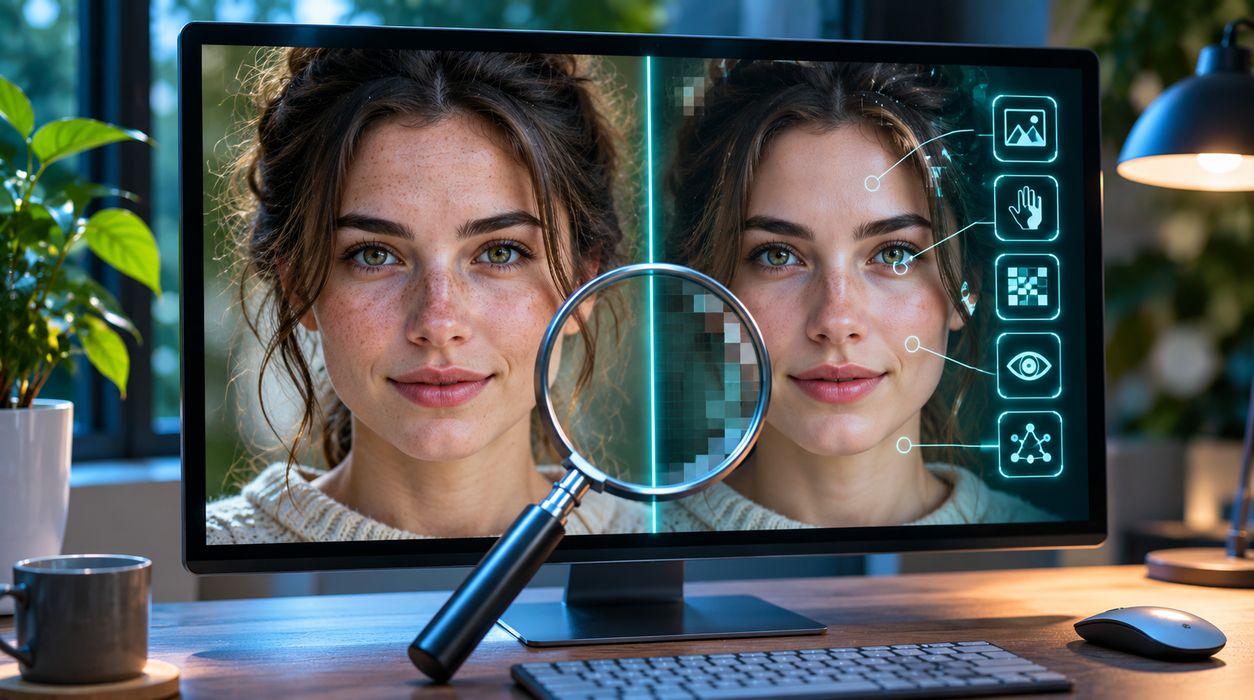
You are scrolling through social media when a photograph catches your attention. It shows an extraordinary natural disaster, a celebrity in an unexpected situation, or an animal that looks almost too unusual to be real.
The image appears convincing. The lighting looks natural, the background is detailed, and the people seem realistic.
But something feels wrong.
Could the picture have been created using artificial intelligence?
Learning how to tell if an image is AI-generated has become an important digital literacy skill. Modern AI image generators can create remarkably realistic pictures, making it increasingly difficult to distinguish synthetic images from traditional photographs.
Fortunately, there are practical ways to investigate suspicious images.
From checking visual details to examining digital provenance and searching for the original source, this guide explains ten useful methods for identifying potentially AI-generated pictures.
Quick Answer: How Can You Tell If an Image Is AI-Generated?
There is no single visual trick that reliably identifies every AI-generated image.
However, you can investigate an image by checking:
- Unusual hands, fingers, and body proportions
- Inconsistent shadows and reflections
- Distorted text or unfamiliar symbols
- Background objects that do not make sense
- Repeated or unnatural patterns
- Missing or suspicious image metadata
- Content Credentials and digital provenance
- Reverse image search results
- The credibility of the original source
- Results from AI image detection tools
The strongest approach combines several methods rather than relying on one suspicious detail.
A realistic-looking image is not necessarily genuine, and an unusual-looking photograph is not necessarily AI-generated.
1. Examine Hands, Fingers, and Human Anatomy
One of the most familiar clues associated with AI-generated images is unusual human anatomy.
Earlier image-generation systems frequently struggled with hands, fingers, teeth, and complex body positions.
Modern systems have improved considerably, but anatomical mistakes can still appear.
What Should You Look For?
Zoom in on the image and examine:
- Extra or missing fingers
- Fingers that appear fused together
- Unusual joint positions
- Hands that connect awkwardly to arms
- Mismatched body proportions
- Facial features that appear inconsistent
For example, imagine a photograph showing several people holding coffee cups.
One person’s hand may appear to have an unusual number of fingers, while another hand may blend into the cup handle.
These details can suggest an image-generation or editing error.
Why This Method Is Not Always Reliable
Real photographs can also contain unusual appearances caused by camera angles, motion blur, medical conditions, or image compression.
Additionally, modern AI tools can produce anatomically convincing people.
Therefore, an unusual hand should be treated as a clue, not proof.
2. Check Shadows, Reflections, and Lighting
Lighting can reveal inconsistencies that are difficult to notice at first glance.
In a real photograph, shadows and reflections generally follow the physical arrangement of light sources and objects.
AI-generated images sometimes contain lighting relationships that are difficult to explain.
Common Lighting Problems
Look for:
- Shadows pointing in incompatible directions
- Objects casting shadows with unusual shapes
- Reflections that do not match nearby objects
- Inconsistent highlights on similar surfaces
- People illuminated differently without an apparent reason
Suppose an image shows a person standing beside a glass building.
The person’s clothing and surroundings may look realistic, but the building’s reflection might not correspond to the visible scene.
This could be a sign of manipulation or synthetic generation.
Consider the Entire Environment
Professional photography often involves multiple light sources, reflectors, and editing techniques.
An unusual shadow is not enough to establish that a photograph is fake.
Try to determine whether the lighting is physically plausible before drawing conclusions.
3. Look Closely at Text and Signs
AI image generators have historically struggled to reproduce text accurately.
Although newer models are much better at creating readable lettering, mistakes can still occur.
Examples of Suspicious Text
You might notice:
- Misspelled business names
- Incomplete words
- Strange letter combinations
- Repeated characters
- Text that changes style unexpectedly
- Signs containing meaningless symbols
For example, a generated street scene might include a storefront with letters that resemble English but do not form recognizable words.
A product package might contain a brand name that appears slightly distorted.
Why Language Accuracy Matters
Correct spelling and wording are useful clues, but they require context.
Grandloopy’s guide to authorized or authorised explains how legitimate spelling differences can occur between American and British English.
A word that looks unfamiliar may be a valid regional spelling rather than an AI error.
Similarly, the distinction between customize or customise shows why language variations should not automatically be treated as evidence of manipulation.
Always investigate before assuming unfamiliar text is fake.
4. Inspect Background Objects and Small Details
AI-generated images often prioritize the main subject.
Background details may contain subtle inconsistencies, especially in complicated scenes.
What to Examine
Look closely at:
- Furniture with unusual shapes
- Objects that merge together
- Repeated faces in crowds
- Buildings with inconsistent windows
- Roads or pathways that lead nowhere
- Accessories that appear partially formed
Imagine a photograph of a crowded restaurant.
The people in the foreground may look realistic, but a chair in the background might have an impossible number of legs.
A glass might appear to merge with the table.
These irregularities may suggest synthetic generation or editing.
Avoid Overinterpreting Small Errors
Low-resolution photographs, panoramic stitching, and aggressive image processing can also produce visual distortions.
One strange object does not conclusively establish that an image was created by AI.
5. Identify Repeated Patterns and Unnatural Textures
Some AI-generated images contain repeated visual elements that appear unusually similar.
Examples include:
- Nearly identical people in a crowd
- Repeated decorative objects
- Uniformly arranged leaves
- Similar-looking windows
- Repetitive fabric patterns
- Unnatural hair or skin textures
AI models may generate plausible-looking details without accurately representing the physical structure of every object.
Pay Attention to Complex Scenes
Crowds, dense vegetation, intricate architecture, and reflective surfaces can be particularly useful areas to inspect.
However, repetition is common in real life.
Buildings often have identical windows, and manufactured products frequently share the same design.
The question is whether the repetition makes sense within the scene.
6. Check Image Metadata and Content Credentials
Visual inspection is only one part of image verification.
Digital files may also contain information about their creation and editing history.
This information is commonly called metadata.
What Is Image Metadata?
Metadata may include:
- Camera model
- Creation date
- Software used to edit the file
- Image dimensions
- Location information
- Other technical details
Not every image contains all these fields.
Social media platforms, screenshots, editing software, and file conversions may remove or change metadata.
What Are Content Credentials?
Content Credentials are a system for recording information about the origin and history of digital media.
They are based on the C2PA standard, which supports cryptographically signed provenance information.
Depending on the software and workflow, Content Credentials may indicate whether an image was captured with a camera, edited with particular tools, or generated using AI.
You can learn more through the Content Authenticity Initiative.
Does Missing Metadata Mean an Image Is Fake?
No.
An ordinary photograph may lose metadata when uploaded to a website or shared through messaging applications.
Likewise, some AI-generated images may contain no recognizable provenance information.
Missing metadata means you have less information about the image’s origin. It does not prove the image is synthetic.
What About AI Watermarks?
Some AI systems embed machine-readable signals into generated media.
These signals may help identify content created by supported tools.
However, not every image generator uses the same technology, and verification systems do not necessarily recognize all AI-generated content.
7. Use Google Reverse Image Search
Reverse image search is one of the most useful ways to investigate a suspicious picture.
Instead of searching with words, you search using the image itself.
This may help you find earlier appearances, similar images, and websites that provide additional context.
How to Search With an Image
- Open Google Search or Google Lens.
- Upload the suspicious image or select it from your device.
- Review visually similar results.
- Look for earlier publication dates.
- Identify websites that previously shared the image.
- Compare captions and descriptions.
For detailed instructions, see Google’s official guide to searching with an image.
Example: A Fake Disaster Photograph
Imagine seeing an image claiming that a major bridge collapsed yesterday.
Reverse image search might reveal that the same picture appeared months earlier in an unrelated article.
Alternatively, it might show that the image originated from a digital artist’s portfolio.
Either discovery would challenge the claim attached to the image.
Important Limitation
A reverse image search may return no useful results for a newly generated image.
That does not mean the image is authentic.
It simply means the search did not establish its origin.
8. Investigate the Original Source
The credibility of an image depends partly on where it came from.
A picture shared by an anonymous account without supporting details deserves different scrutiny from an image published with documented sourcing.
Questions to Ask
- Who originally uploaded the image?
- Is the creator identified?
- Is there a reliable publication date?
- Does the source explain where the image was captured?
- Are there independent reports supporting the claim?
- Has the image appeared in a different context?
Suppose a social media account shares an extraordinary photograph without identifying the photographer, location, or date.
That absence of context does not automatically prove the picture is fake.
However, it gives you a reason to investigate further.
Watch for Misleading Captions
Sometimes the image itself is genuine, but the accompanying description is false.
An old photograph of a storm may be presented as evidence of a recent disaster.
A staged photograph may be described as spontaneous.
A legitimate image may be cropped to remove important context.
This is why verifying the story behind a picture is just as important as examining its pixels.
9. Try AI Image Detection Tools Carefully
AI image detection tools attempt to estimate whether an image was generated or manipulated using artificial intelligence.
Some analyze visual patterns.
Others examine digital provenance or embedded watermarks.
Are AI Image Detectors Accurate?
Accuracy varies by tool, image type, generation model, and editing history.
A detector may incorrectly classify a genuine photograph as AI-generated.
It may also fail to identify a sophisticated synthetic image.
Cropping, resizing, compression, screenshots, and other transformations can affect certain detection methods.
How to Interpret Results
If a tool reports that an image is likely AI-generated, treat the result as one piece of evidence.
Do not assume it is definitive.
For better verification:
- Check the image’s original source.
- Search for earlier appearances.
- Review available provenance information.
- Compare results from appropriate verification methods.
- Look for independent confirmation.
Protect Your Privacy
Avoid uploading sensitive photographs to unfamiliar detection websites.
Before using an online checker, review its privacy policy and understand how uploaded files may be stored or processed.
10. Compare the Image With Real-World Evidence
Sometimes the best way to verify a picture is to investigate the event or subject it supposedly depicts.
For example, imagine a viral image showing a famous landmark covered in snow during an unusual season.
You could check:
- Official weather records
- Reputable news reports
- Photographs from other witnesses
- Verified social media accounts
- Historical images of the location
If the image claims to show a major public event, reliable independent reporting may help establish whether that event occurred.
Use Multiple Sources
One website repeating a viral claim is not necessarily independent confirmation.
Look for sources that provide original reporting, direct evidence, or verifiable documentation.
This approach is especially important when images concern emergencies, public figures, or potentially harmful misinformation.
AI-Generated Image vs. Edited Photograph: What’s the Difference?
Not every manipulated image is AI-generated.
A traditional photograph may be altered through ordinary editing techniques.
For example, a photographer might adjust brightness, remove a distracting object, or combine multiple exposures.
An AI-generated image may be created entirely from a text prompt.
An AI-edited photograph may contain a combination of captured and synthetic content.
| Image Type | Typical Creation Method | Main Verification Question |
|---|---|---|
| Camera photograph | Captured using a camera | Is the claimed source and context accurate? |
| Traditionally edited photograph | Modified with editing software | What was changed, and does it affect the meaning? |
| AI-generated image | Synthesized using an AI model | Is its synthetic origin disclosed or verifiable? |
| AI-edited photograph | Camera image modified with AI | Which elements were generated or altered? |
| Misleading real photograph | Genuine image presented falsely | Does the caption accurately describe the image? |
These categories can overlap.
An image can contain authentic photographic elements and AI-generated modifications.
The word “fake” may describe deceptive presentation rather than the technical method used to create the picture.
Why AI Images Are Becoming Harder to Identify
Modern AI image generators have improved in several important areas.
They can create more realistic lighting, complex backgrounds, human anatomy, and detailed textures.
Some systems can also follow instructions about camera angles, artistic styles, and image composition.
As a result, familiar warning signs such as extra fingers or distorted faces are becoming less dependable.
Realism Is Not Proof
A realistic image can be synthetic.
An unusual image can be genuine.
Professional photography, special effects, unusual lighting, and optical illusions can produce results that seem artificial.
This is why verification should focus on provenance, context, and supporting evidence rather than appearance alone.
What to Do If You Find a Suspicious AI Image
If you encounter a potentially misleading image, avoid sharing it immediately.
Follow this simple process.
Step 1: Save the Original Context
Record where you found the image and what claim accompanied it.
If possible, preserve the original link.
Step 2: Search for Earlier Versions
Use reverse image search to identify previous appearances.
Step 3: Check Provenance Information
Look for available Content Credentials or other credible source information.
Step 4: Compare Independent Evidence
Investigate the event, location, or subject depicted.
Step 5: Avoid Making Unsupported Accusations
Do not publicly accuse a photographer or publisher of creating fake content based only on unusual visual details.
Step 6: Report Harmful Misinformation
If the image is being used for fraud, impersonation, or other harmful deception, use the relevant platform’s reporting features.
Can AI-Generated Images Be Used Legitimately?
Absolutely.
AI-generated imagery has many legitimate applications.
Examples include:
- Marketing illustrations
- Educational graphics
- Concept art
- Website featured images
- Product visualization
- Creative storytelling
- Presentation design
The important issue is how the image is represented.
A clearly labeled illustration is different from a synthetic image falsely presented as evidence of a real event.
Transparency Builds Trust
Publishers can improve transparency by identifying AI-generated illustrations when that information is relevant to readers.
For example, an article about smartphone battery problems may use an AI-generated illustration without implying that it documents a real incident.
However, an image presented as evidence of a breaking news event requires much stronger verification.
Clear descriptions and accurate terminology help readers understand what they are seeing.
Grandloopy’s guide to what kind of vs. what kinds of offers another example of how precise language helps communicate meaning.
Likewise, the difference between fairing or faring illustrates why choosing the correct word matters when describing information accurately.
Common Mistakes People Make When Checking AI Images
Even careful readers can make errors when evaluating digital pictures.
Mistake 1: Assuming Every Strange Detail Is AI-Generated
Real photographs can contain optical illusions, motion blur, and unusual perspectives.
Mistake 2: Trusting One AI Detector Completely
Automated tools can produce incorrect classifications.
Mistake 3: Ignoring the Original Caption
A genuine photograph can become misleading when shared with a false description.
Mistake 4: Treating Missing Metadata as Proof
Metadata can disappear during ordinary sharing or editing.
Mistake 5: Believing a Realistic Image Must Be Genuine
Modern AI generators can produce highly convincing images.
Mistake 6: Sharing Before Verifying
Viral images often spread faster than corrections.
Taking a few minutes to investigate can prevent the accidental spread of misinformation.
Frequently Asked Questions
How can I tell if a photo was made by AI?
Examine visual inconsistencies, search for earlier versions, check the original source, and review available provenance information. No single method works reliably for every image.
Can Google detect AI-generated images?
Google provides image-search and context tools, and certain supported AI-generated content can be identified through provenance or watermark signals. Detection is not universal.
Are AI-generated images always easy to spot?
No. Modern image generators can produce highly realistic results with few obvious visual mistakes.
Do AI images always have extra fingers?
No. Extra fingers are a possible generation error, but many modern AI images contain realistic hands.
Can metadata prove an image is real?
Metadata can provide useful information about an image’s origin, but it does not independently prove that the scene or accompanying claim is truthful.
Can an AI detector identify every fake image?
No. Different tools have different capabilities and limitations. Results should be evaluated alongside other evidence.
Does reverse image search detect AI images?
Reverse image search can help locate earlier appearances and sources, but it does not automatically determine whether an image was generated by AI.
Is an AI-generated image always fake?
Not necessarily. AI-generated illustrations can be legitimate creative content. The problem arises when synthetic images are presented deceptively as authentic evidence.
What should I do before sharing a suspicious image?
Check the original source, search for earlier appearances, review available provenance information, and look for independent confirmation.
Final Thoughts
Learning how to tell if an image is AI-generated requires more than spotting strange fingers or unusual backgrounds.
As AI image generators improve, visual clues alone become less reliable.
The most effective approach combines careful observation with reverse image search, source verification, provenance information, and independent evidence.
Remember that an AI-generated image is not automatically deceptive, and a genuine photograph is not automatically presented truthfully.
Before trusting or sharing an extraordinary picture, investigate where it came from, what it claims to show, and whether reliable evidence supports that claim.
Developing these habits will help you navigate an increasingly complex digital world with greater confidence.

Ryan Mitchell is a passionate writer and digital content creator dedicated to sharing insightful, engaging, and informative articles across multiple niches. With a strong interest in technology, lifestyle, trending topics, and online media, Ryan Mitchell focuses on delivering well-researched and reader-friendly content that inspires and informs audiences worldwide.