Is Janitor AI Down? Three Different Downs and the 60-Second Triage

Is Janitor AI down is the question you type with a dead chat on the screen, and the honest first answer is that three different things could be down, and they look identical from your chair. This page tells them apart in about a minute.
Janitor can fail at the platform, at its built in model, or along your own connection route to an outside model. Each failure has a different owner, a different fix, and a different wait, so guessing wrong wastes the whole outage.
The method below is a triage, in a deliberate order: the official status page, the JLLM test, the two network test. Run it before you change a single setting, because most Janitor troubleshooting damage is self inflicted in the first five minutes.
One rule governs everything here: status is perishable. Any sentence in this article that describes the service right now carries its check date, and the durable value of the page is the method, which works on every outage including the next one.
The Short Answer, With Its Date On
As of the checks behind this page on 8 November 2026, the monitoring services showed Janitor AI up. The Entireweb Janitor AI status page recorded the service operating normally, with one user report in the previous 24 hours and none in the last hour.
The UptimeRobot Janitor AI status page likewise showed the site up, with clean recent windows.
|
The quick picture |
What it means |
|---|---|
|
Official status page |
The only verdict that sees behind the homepage: Backend and Frontend components, checked by Janitor itself |
|
Automated checkers today |
Up, with no confirmed outage in their latest checks on 8 November 2026 |
|
User reports today |
Near zero on the checkers sampled, which argues against a platform wide outage |
|
Your chats |
A separate question entirely, answered by the triage below, not by any dashboard |
Read that table correctly: up for the platform is not the same as working for you.
If your chats are failing while the platform is up, the fault is in the model layer or your route, and that is good news, because those are the layers you can act on.
Bookmark the Janitor AI official status page now, before you need it. It is the page Janitor’s own help centre points to, and it is the only source in this article that Janitor itself maintains.
The 60-Second Triage
Three checks, in this order, locate almost every Janitor failure. Do not skip ahead: each step exists to protect the next one’s evidence.
Step 1: Read the Official Status Page
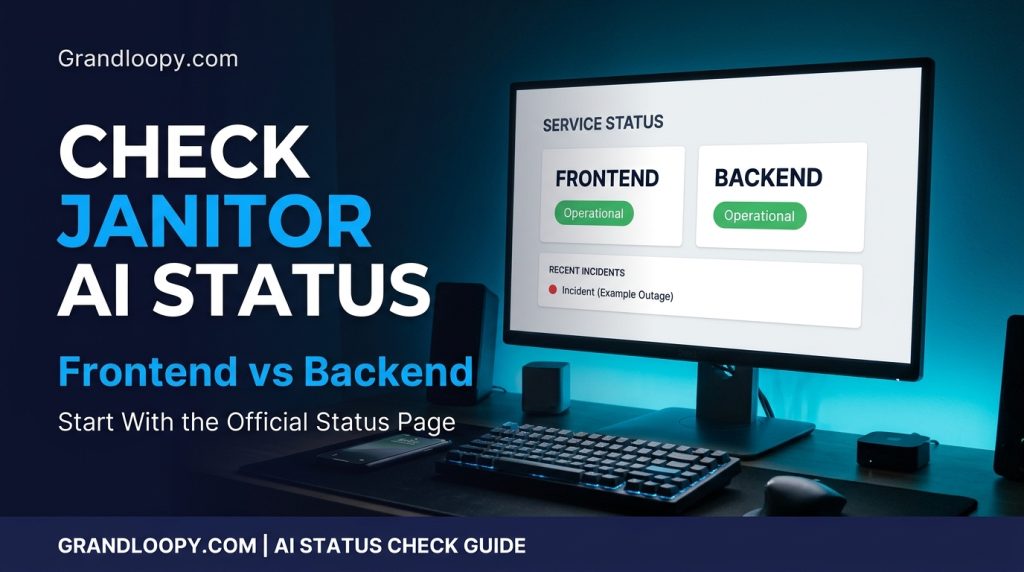
Open the Janitor AI official status page and read the two components separately. Frontend means the website itself: pages, login, character lists. Backend means the machinery behind chats and accounts.
The component split predicts symptoms with unusual accuracy. Green frontend and red backend means the site loads but chats fail, the single most reported Janitor pattern. Red frontend means the site itself is struggling, and nothing on your side matters until it recovers.
Also glance at the incident history while you are there. The CompanionScout Janitor AI status checklist, checked on 25 October 2026, recorded both components operational with 45 day uptime of 99.962 percent for Backend and 99.987 percent for Frontend, a useful sense of the platform’s normal reliability.
Step 2: Run the JLLM Test
Switch your chat to JLLM, Janitor’s built in model, and send one short test message. This single test divides the world in two.
If JLLM replies, Janitor itself is working, and your problem lives in your proxy route: the key, the balance, the model ID, or the provider. If JLLM also fails, the problem is the platform, the model layer, or your own connection, and step three separates those.
The test costs nothing and changes nothing permanent. It is the fastest diagnostic in the whole Janitor ecosystem, and it should precede every fix you attempt.
Step 3: The Two Network Test
Try Janitor on a second network: phone data instead of home wifi, or the other way around.
A failure that follows you across networks is the platform or your account. A failure that stays on one network is that network, its DNS, or a VPN sitting on it.
Combine the three steps and the verdict types itself. Status incident plus JLLM failing plus both networks failing is a platform outage. Everything green except your proxy chats is a route problem wearing an outage’s clothes.
The Three Downs
Down One: The Platform
A true platform outage means Janitor’s own components fail: the site will not load, or loads with a broken backend behind it. The status page shows it, the changelog usually confirms it, and users on every route fail together.
Your only moves in a platform outage are verification and patience. Nothing in your settings caused it, and nothing in your settings can cure it, which is worth knowing before an hour of hopeful clicking.
Down Two: The Model Layer
Janitor’s own model and features fail independently of the site.
In the 2026 incident record, a JLLM incident raised error rates from about 0.3 percent to around 8 percent for roughly 12 hours, affecting replies while the platform around it stayed up, a strand recorded by the checklist that read the changelog.
Features fail this way too: search, images, moderation, or one popular model erroring while everything else chats on. The signature is partial function, and partial function is why outage reports contradict each other so often.
Down Three: Your Route
If you chat through a proxy, your replies travel to an outside provider, such as OpenRouter, DeepSeek, or a hosted model network, and back. That route is yours, assembled from a model name, a completions URL, and your API key in the API settings.
Routes fail for route reasons: an empty balance, a retired model ID, a throttled free tier, a provider at capacity. None of those is Janitor being down, and all of them feel exactly like it from the chat window.
There are now three ways to get a reply on Janitor: JLLM, your own proxy route, and the janitor+ Router, which reaches outside models without your key. The CompanionScout Janitor AI proxy guide lays the three routes out in full.
Each route fails on its own schedule, which is the whole architecture of this topic.
Symptom to Layer: The Diagnosis Table
Match your symptom to its most likely layer before touching anything. The table is the triage compressed into one screen.
|
What you see |
Likely layer |
First check |
|---|---|---|
|
Site will not load on any network |
Platform (frontend) |
Official status page |
|
Site loads, chats never reply |
Platform backend or model layer |
Status page, then the JLLM test |
|
JLLM works, proxy chats fail |
Your route: key, balance, model, provider |
Provider balance and status, then re paste settings |
|
One model fails, others work |
That model or its host |
Switch models; check the model uptime at the provider |
|
Characters will not load, error getting characters |
Janitor site throttling |
Status page, then wait |
|
Failed to fetch, network error wording |
Connection layer: VPN, extension, network |
Second network, VPN off |
|
Everything fine yesterday, broken after a settings edit |
Your saved settings or a pending reload |
Reload the page, then re paste values exactly |
|
Slow replies at peak hours only |
Capacity, not outage |
Off peak retry or a less loaded model |
Why Status Checkers Disagree
Open three checker sites during one incident and you can collect three verdicts. They are not lying; they are measuring different, smaller things and calling all of them by the same name.
What Checkers Actually Measure
An automated checker sends a request to the homepage, from its own location, at its own interval, and records whether the front door answered.
The UptimeRobot Janitor AI status page is transparent about this: checks every five minutes, confirmed from other locations before declaring down, and an explicit admission that it cannot see internal systems or root causes.
The HostTracker Janitor AI status page probes from hundreds of locations at once, which is genuinely better evidence about reachability.
But reachability is still the front door. No checker can see your chat, JLLM’s error rate, or your proxy route, so a green checker and a dead chat are fully compatible facts.
User report graphs measure something else again: that some users are failing, with no layer attached. A provider incident can spike reports on a healthy platform, and one report in 24 hours, as the Entireweb page showed on a normal November day, is what background noise looks like.
The Wrong Domain Lesson
Here is the exhibit that settles how far to trust automated verdicts. One long running checker brand maintains Janitor status pages for janitor-ai.com and janitor.ai.com, domains that are not the platform’s address at all.
Its recent checks on one of them flip between up and down within seconds.
A verdict about the wrong domain is worse than no verdict, because it feels like evidence. The lesson generalizes: automated status is a smoke signal, and the official status page plus the JLLM test is the fire location.
A second exhibit: one unofficial status page’s automated block claimed at crawl time that the site was unreachable and had been down for twelve months, alongside zero user reports. Stale automation is not malice; it is what happens to unmonitored monitors, and it is why method beats verdicts.
The Error Wording Decoder
Janitor errors are written by different layers, and the wording tells you which one before any tool does. Read the message first; fix second.
|
What the message says |
Source layer |
What to do |
|---|---|---|
|
The AI provider is temporarily unavailable |
The model route did not answer: provider down, at capacity, or unreachable |
Retry once, switch models, run the JLLM test |
|
Failed to fetch, or network error wording |
Connection layer: request never completed the round trip |
VPN off, extensions paused, second network |
|
401, authentication fails |
Your API key: wrong, disabled, or pasted with an extra character |
Re copy the key exactly, or generate a new one at the provider |
|
402, insufficient balance |
Your provider account is empty |
Top up at the provider; Janitor is innocent here |
|
404 at the provider, or 400 and 422 |
Retired or mistyped model ID, or a rejected setting |
Copy a current model ID; reset generation controls to defaults |
|
429, rate limited upstream |
A provider is passing its throttle through to you |
Slow down, switch models, or use a paid route |
|
429, infrastructure at maximum capacity |
The model’s host has no spare capacity |
Wait, or switch to another model |
|
Error getting characters, status code 429 |
Janitor’s own site throttling page loads |
Status page and patience; no proxy fix touches this |
|
500, 502, 504 family |
Upstream server trouble, per Janitor’s own help mapping |
Isolate with the JLLM test, then provider steps, then wait |
|
403 at the provider |
Permission or restriction on that model |
Check the model’s restrictions, or choose another model |
The error code reference behind several rows is the CompanionScout Janitor AI proxy guide, which grounds each code in the providers’ own documentation.
Treat specific numbers, like the free model limits in the RoboRhythms Janitor AI 429 guide, as dated strands. OpenRouter free routes were documented at 20 requests per minute and 50 per day in late September 2026 checks, and limits move.
Safe Fixes, In Order

Only after the triage names your layer. Fixes applied to the wrong layer are how a ten minute outage becomes an evening of self inflicted setup damage.
- Reload once. If you changed settings recently, Janitor shows a banner when a reload is pending. Saved but unloaded settings explain a surprising share of sudden failures.
- Re paste the route values exactly. Model name, completions URL, and key, copied fresh from the provider. An extra space, or a doubled completions ending in the URL, is the classic new setup failure.
- Run the connection test in API settings. Janitor’s own test confirms whether the route answers before you blame a chat.
- Check the provider’s balance and status. An empty balance and a provider incident look identical from the chat window and are separated by one dashboard visit.
- Switch models. A different model is a different host, a different limit pool, and often an instant answer to capacity errors.
- Fall back to JLLM. If the route stays broken, the built in model keeps you chatting while the provider sorts itself out, which can take up to a day for transient problems.
- Clear the browser layer last. Cache, cookies, a different browser, extensions paused: legitimate fixes, but only when the evidence points at your browser, meaning one device fails while the service works elsewhere.
What Never to Do During an Outage
Never paste your API key into a fix site, a shared proxy link, or a stranger’s message thread. Outages are phishing season, and a harvested key spends your balance. Nobody legitimate needs your key to restore Janitor.
Never delete your account or your characters. Outages interrupt access; they do not delete content. Deletion during an incident is the one move that converts a temporary outage into a permanent loss.
Never rebuild a working setup on suspicion. If the triage has not indicted your route, leave it alone. Most post outage regret is a good configuration destroyed during someone else’s incident.
Never loop retries against a rate limit. Retrying a 429 in a tight loop deepens the throttle. Wait the limit out, or change the layer: another model, another route, or JLLM.
How Long Janitor Outages Last: The 2026 Pattern
The honest answer starts with what kind of down you mean. The year’s incident record, read through the changelog by the CompanionScout Janitor AI status checklist, is dominated by partial incidents: one model erroring, one feature misbehaving, one route in trouble.
The recorded examples set the scale. The JLLM error spike ran roughly twelve hours.
A CDN hiccup in early October 2026 made buttons throw errors and images fail while chats continued. A mid year notice addressed errors affecting proxy users specifically, one route’s bad week, remembered by its users as the platform being down.
Full platform outages exist but are the minority, and the platform’s own numbers argue for basic reliability: about 99.96 percent backend uptime across the 45 days the checklist sampled in October 2026.
That figure allows roughly half an hour of backend trouble in that window, which matches the partial, hours long pattern.
So plan around hours, not days, and around your layer, not the whole service. The wait is almost always shorter than the time users spend fixing the wrong thing.
While You Wait: The Constructive Options

Verification done and the platform indicted, the remaining choices are about your evening, not your settings. Fall back a layer: proxy users to JLLM, JLLM users to a second model or route, everyone to shorter sessions until the incident clears.
Set a checking rhythm instead of a refreshing one: the status page and changelog every half hour or so. Incident pages update when there is news; your refresh button does not hurry a backend.
If the failure is your route and the provider is simply down, the CompanionScout Janitor AI proxy guide documents the alternative routes and their error behavior, and switching providers for the evening is a legitimate move, done in the provider’s own dashboard, never through a shared link.
And if you decide to try another platform during a long outage, do it as an experiment, not an evacuation: your chats, characters, and account remain where they were when Janitor recovers.
Five Misreadings to Avoid
- A green checker means Janitor works. It means a homepage answered a ping. Chats, models, and routes are invisible to it.
- An outage means a shutdown. Platforms with live changelogs, support desks, and 99.9 percent component uptime are having incidents, not endings. Judge endings by official announcements only.
- An error code names the culprit. The same 429 is written by at least four different layers. The wording around the digits is the diagnosis; the digits alone are not.
- Reports spiking means the platform fell. Reports spike when any popular route fails. One provider’s bad hour files itself under the platform’s name in every graph.
- The fix is always on your side. Roughly half the failure space (platform, model layer, provider capacity) cannot be fixed from your chair at all. The triage exists to tell you when waiting is the skilled move.
More From GrandLoopy
GrandLoopy covers the tools and services people actually live on, and this explainer sits naturally in the GrandLoopy AI and technology coverage, where the site tracks how AI services behave in the wild.
For the business side of the same reliability question, see GrandLoopy on how AI customer support is changing small online stores. When a store’s support bot fails, the layer thinking in this article is exactly what its owner needs.
The GrandLoopy guides hub gathers the newest GrandLoopy guides across news, fashion, health, and business.
The Glossary in One Pass
Backend and Frontend: the status page’s two components. Frontend is the visible site; backend is the machinery behind chats and accounts.
Upstream: the next system along the reply path. An upstream error means the failure happened beyond Janitor, usually at a provider or its model host.
Rate limit: a cap on requests per minute or per day. Free model routes carry the strictest caps, and hitting one produces 429 errors that mimic outages.
Partial outage: some part of the service works while another does not. It is the normal shape of Janitor incidents, and the reason user reports conflict.
Chat completions URL: the exact endpoint address a proxy route sends to. One wrong character, or a doubled ending, and the route fails while looking configured.
JLLM: JanitorLLM, the built in model. Beyond chatting, it is the platform’s best diagnostic instrument: if it works, Janitor works.
Reading the Status Page Like an Engineer
Two habits separate a glance from a reading. First, read the components against your symptom: a red backend explains dead chats on a loading site, while a red frontend explains everything at once.
Second, read the trend, not the dot. The incident list and the uptime window tell you whether today is an anomaly or a pattern, and a service at 99.9 percent with a bad evening is a different risk from one sliding for a week.
Third, note the time. Status pages speak in their own timestamps, and comparing the incident start with your first failure tells you whether you are inside the known incident or holding a private one.
Frequently Asked Questions
1. Is Janitor AI down right now?
**There is no permanent answer to print, because status changes by the hour.
Read the official status page, linked at the top of this article.** Monitors showed the site up with no confirmed outage in their latest checks on 8 November 2026.
with one user report in the prior 24 hours on one checker.
2. How can I check if Janitor AI is down?
**Three steps, in order.
Open the official status page and read the Backend and Frontend components.
Run the JLLM test with one short chat on the built in model.** Then test on a second network.
The three answers together locate the problem.
3. Is Janitor AI down for everyone or just me?
**If the official status page shows an incident and the site fails on two different networks, it is the platform.
If others chat fine while your proxy fails**, the problem is your route: key, balance, model, or provider.
4. What does Backend and Frontend mean on the Janitor status page?
**Frontend is the website itself: pages, login, and character lists.
Backend is the machinery behind chats and accounts.** A green frontend with a red backend predicts the classic symptom: the site loads, but chats fail.
5. What is the JLLM test?
**Switch your chat to JLLM, Janitor’s built in model, and send a test message.
If JLLM replies, Janitor itself is working and your proxy route is the fault.** If JLLM also fails, the problem is the platform, the model layer, or your connection.
6. Why does Janitor load but my chats fail?
**Because the layers fail independently.
The website can be healthy while the backend, JLLM, or your proxy provider is down.** The symptom means the fault sits behind the page, which is exactly what the JLLM test isolates.
7. Why do status checker sites disagree about Janitor AI?
**They measure different, smaller things: an automated ping to the homepage, from their location, at their interval.
Some even check the wrong domain.** None can see chats, JLLM, or your proxy, so their verdicts describe the front door only.
8. What does ‘The AI provider is temporarily unavailable’ mean on Janitor?
The model route you are using did not answer: the provider or model is down, at capacity, or unreachable. Retry once, then switch models or test JLLM.
If JLLM works, your route is the problem, not Janitor.
9. What does ‘Failed to fetch’ mean on Janitor AI?
**A network layer failure: the request never completed the round trip.
Despite the wording it points to connection trouble, not quota.** Usual causes are a VPN misrouting or blocking the provider, a filtering browser extension, or a dropped connection.
10. What does error 429 mean on Janitor AI?
**Too many requests, but the layer matters.
It can be a provider rate limiting your route, a provider at capacity, or Janitor itself throttling page loads**, as in the error getting characters message.
Read the exact wording to locate it.
11. What does a 500 error mean on Janitor AI?
A server side failure somewhere along the reply path: browser, Cloudflare layer, Janitor’s backend, or your proxy provider and its model. Janitor’s own help material maps 500, 502, and 504 errors to upstream server issues.
Isolate the layer with the JLLM test.
12. Why are my Janitor characters not loading?
That message is Janitor’s own site throttling or struggling, usually during heavy load or an incident. No proxy fix touches it.
Check the status page and wait.
13. How long do Janitor AI outages usually last?
Most recorded 2026 incidents were partial and lasted hours rather than days: one JLLM incident raised error rates for roughly 12 hours, and a CDN hiccup degraded buttons and images briefly.
Full platform outages are rarer.
Treat any duration as an incident report, not a promise.
14. Is Janitor AI down for maintenance?
**Sometimes.
Maintenance and update work surfaces through the changelog and official channels rather than the status verdict alone.** If the status page is green but a feature misbehaves after an update, check the changelog before troubleshooting your setup.
15. Is Janitor AI shutting down?
**Outages are not shutdowns.
The platform publishes a changelog, maintains a status page with high 45 day uptime as checked in October 2026, and runs support channels.** Judge shutdown claims by official announcements, not by a bad evening.
16. What should I do while Janitor AI is down?
Confirm it is really the platform, using the status page and two networks, then stop fixing and wait, checking the status page and changelog periodically. If only your route is down, switch models or fall back to JLLM.
Keep your chats and account untouched.
17. Will I lose my chats or characters during an outage?
Outages interrupt access; they do not delete accounts or content. Deleting your account or characters during an incident is the one unforced error that can cause real loss.
Wait for recovery and verify afterward.
18. Why is Janitor AI so slow today?
**Peak hours load every layer at once: the platform, JLLM, and popular proxy models.
Slowness with eventual replies is capacity, not an outage.** Off peak retries, a less loaded model, or JLLM are the practical answers.
19. Does Janitor AI work on mobile when the site is down on desktop?
**The app and the website share the backend, so a platform outage hits both.
If mobile works on data while desktop fails on wifi**, suspect your network, DNS, or VPN rather than Janitor, and run the two network test properly.
20. Can a VPN make Janitor AI look down?
**Yes.
A VPN can block or misroute the provider your proxy points to, producing failed to fetch and network errors while everyone else chats normally.** Test with the VPN off, or route the provider domain around it.
21. What is Janitor’s official status page address?
The official status page lives on Janitor’s own domain under the name status, and it is linked at the top of this article. It tracks Backend and Frontend with incident history and uptime.
And it is the page the help centre points to.
Bookmark it.
22. Why does my proxy work on one model and fail on another?
**Because models are hosted by different providers with separate capacity and limits.
A 502 or 503 usually means the chosen model or its host is unavailable**, and a 429 means that route is throttled.
Switching models changes the failing layer entirely.
23. What does error 401 mean in Janitor proxy settings?
Authentication failed: the API key is wrong, disabled, or pasted with an extra space or character. Re copy the key exactly from your provider, or generate a new one.
Janitor cannot fix a provider key.
24. What does error 402 mean on Janitor?
**Insufficient balance or credits at your proxy provider.
The key works and the account is empty.** Top up at the provider.
Janitor and the model are both innocent in this one.
25. What does a 404 error mean when I use a proxy on Janitor?
**Usually a retired or mistyped model ID, or a wrong completions URL.
Copy the current model name and the chat completions URL exactly from your provider.** Extra characters and doubled path endings are the classic causes.
26. How do I report a Janitor AI problem?
Use the help centre live chat or the support email, and include the exact error message, whether JLLM works, your route, and the time. Reports with the layer already isolated get useful answers fastest.
The support address is printed in the help centre.
27. Are free proxy models less reliable on Janitor?
**Generally yes.
Free routes carry strict rate limits and are first to feel capacity cuts.** OpenRouter free models were documented at 20 requests per minute and 50 per day in late 2026 checks.
Their failures are usually limits, not outages.
28. What is janitor+ Router and does it go down too?
**It is Janitor’s route to outside models without supplying your own key.
It removes key and balance failures, but the outside models still have their own capacity and incidents**, so router chats can fail while JLLM works, and the same layer test applies.
29. Why did Janitor break right after I changed my proxy settings?
Settings changes need a page reload to take effect, and Janitor shows a banner when one is pending. A setup that worked yesterday and fails after an edit usually means the new values were saved but not loaded.
Or a character crept into the URL or key.
30. Is it safe to use free proxy links shared in the community during an outage?
**No.
Never paste your API key into a community fix link or a stranger’s proxy.
Outages are phishing season, and fake fix pages harvest keys.** Use your provider’s own dashboard and the official status page only.
31. What is the difference between Janitor being down and my provider being down?
**Janitor down means its own components fail: the status page shows it, JLLM fails, and it fails on every network.
Provider down means one outside route fails** while JLLM and other models work.
The JLLM test is the dividing line.
32. Why does Janitor AI go down so often?
**It fails partially by architecture.
Three reply routes can fail independently, on top of the platform itself**, and incidents in 2026 hit single models and single features while the site stayed up.
Users experience the union of all those failure chances.
33. Can I check Janitor status without the website?
**Yes.
The official status page is separate from the main site, and the changelog and official community announcements carry incident news.** Checker sites add a fourth signal, useful for the front door only.
34. What does degraded or partial outage mean for Janitor?
Some part works and some does not: one model erroring, search or images failing, or chats slow while pages load. Most Janitor incidents are partial, which is why reports conflict during one: users on different routes honestly describe different states.
35. Why do my messages fail with a network error at night?
**Evening peak combines platform load with provider rate limits.
The message text usually names the layer**: rate limited wording points to your route’s limits, while site wide slowness points to capacity.
The JLLM test still separates them.
36. Should I clear my cache or reinstall when Janitor is down?
Only after the layer test points at your browser: status page green, JLLM working for others, failure on one device or browser only. Cache clearing mid outage fixes nothing and costs you setup time.
37. What is error 1033 on Janitor AI?
A chat system code documented in help material as a temporary chat layer issue that resolves on its own, in the same family as chat only 502 errors where the site loads but the chat window fails.
Status page first, then patience.
38. How accurate are user report graphs during a Janitor outage?
They show that some users are failing, not why, and a handful of reports can reflect one provider’s incident rather than the platform. One checker showed a single report in 24 hours on a normal day in November 2026.
Read them as smoke, not as the fire’s location.
39. What should I check first, the status page or my proxy settings?
**The status page, always.
Thirty seconds there can save an hour of rebuilding a working proxy setup.** Change nothing in your settings until the official components and the JLLM test have had their say.
40. Does Janitor AI have an official app status difference?
**The status page tracks the platform’s Backend and Frontend rather than separate apps.
App only failures with a green status page** usually trace to the app version, the device network, or the account session, in that order.
41. Why does Janitor say rate limited when I barely sent anything?
On shared and free routes, limits can be consumed by the model’s overall load or by your account’s other usage, and upstream throttles pass through as your error. The wording rate limited upstream names exactly this pass through.
42. How can I be ready for the next Janitor outage?
Bookmark the official status page, know your fallback (JLLM if you proxy, a second model if you use JLLM), and keep provider credentials in the provider’s own dashboard. Never troubleshoot by deleting.
Preparation turns an outage into a pause.
Conclusion
Is Janitor AI down, asked properly, is never one question. It is three questions with three owners: the platform, the model layer, and your route, and the 60 second triage answers each in turn.
Carry the order with you: the official status page first, the JLLM test second, the second network third. Change nothing until the layer is named, and let the error wording, digits and all, tell you where to look.
On the day this page was checked, 8 November 2026, the platform stood up and the reports were quiet.
That will not always be the picture, and it does not need to be: a method beats a verdict, because the method still works on the day the verdict changes.
Bookmark the status page and this triage, protect your key like the money it can spend, and let outages be pauses instead of projects. The GrandLoopy guides hub is where GrandLoopy keeps its newest explainers when the next service you rely on starts acting strange.