Is Claude AI Free? What You Get, the Limits, and When to Pay

The Short Answer: Yes, Claude Is Free
Yes, Claude AI is free. Anthropic offers a Free plan that costs $0, needs no credit card, and never expires.
It includes Sonnet and Haiku, web search, file uploads, Artifacts, memory, and up to five Projects, with usage limits that reset every five hours and every week.
That one sentence answers the question, but it hides the part that matters. The free plan is generous on features and strict on volume.
You get the same everyday model that Pro users get by default, and you get most of the tools. What you do not get is unlimited use, the top models, or Claude Code.
Claude is built by Anthropic, a company founded in 2021 by former OpenAI employees.
The ownership story, including who the founders are and why Amazon and Google do not own it, is covered in the companion guide to who owns Claude AI.
The money question is the focus here: what is free, what it costs when it is not, and where the line sits.
The sections below prove the short answer.
It lists every free feature, explains the five-hour window with real times, compares all four individual plans and the three free chatbots, and ends with seven ways to stretch the free quota further.
| Question | Short answer |
|---|---|
| Is Claude AI free? | Yes. A permanent Free plan costs $0, needs no credit card, and never expires. |
| What model do you get free? | Sonnet and Haiku, the same everyday models Pro uses by default. |
| What is the catch? | Usage limits. A rolling five-hour window plus a weekly limit, with no fixed message count. |
| What is not free? | Opus, Fable, Claude Code, Research, and Claude in Chrome. |
| How much is Pro? | $20 a month billed monthly, or $17 a month billed annually at $200 up front. |
| Is there a free trial of Pro? | None. Anthropic does not advertise a Pro trial. The Free plan is the trial. |
What the Claude Free Plan Includes
The free plan is a real working account, not a demo.
Anthropic lists the same core features on Free as on the paid plans, and the difference between Free and Pro is mostly volume and the pro tools, not capability.
That is the single most important fact in the whole comparison.
Everything below comes from the official Plans and pricing page at Claude, read on November 24, 2026.
Prices and features change, so treat the official page as the source of truth if you read this later.
The Models You Get: Sonnet and Haiku
Free users get Sonnet and Haiku. Sonnet is the everyday model, the same one Pro uses by default for standard tasks. Haiku is the faster, smaller model, good for quick answers and high-volume work.
You do not get to pick between them the way paid users can, but you get the model that handles the vast majority of everyday work.
Opus and Fable are paid only. Opus is the most capable model for the hardest reasoning and coding tasks.
Fable is the top model for demanding reasoning and long agent runs, included on Max and Ultra up to half the weekly limit, and available on Pro only through usage credits.
Model version numbers change often, and competitors disagree about them. Some pages list Sonnet 4.6 and Opus 4.8 from mid-2026 data. Others list Sonnet 5 and Opus 5.
The newest pages list Sonnet 5.5, Opus 5.5, Haiku 5.5, and Fable 5.2. The official pricing page lists only the family names, Sonnet, Opus, Haiku, and Fable, with no version numbers.
Family names are used here, following the official page, because a version number that is right today can be wrong next month.
| Model | What it is | Free plan | Pro and above |
|---|---|---|---|
| Sonnet | Everyday model, the default for standard tasks | Yes | Yes |
| Haiku | Faster, smaller model for quick answers | Yes | Yes |
| Opus | Most capable model for hard reasoning and coding | No | Yes |
| Fable | Top model for demanding reasoning and long agent runs | No | Pro via usage credits, Max and Ultra included up to half the weekly limit |
The Features You Get Free
Web search is included, so Claude can look up current information mid-conversation instead of relying only on training data.
File creation and editing with code execution is included, so Claude can analyse an uploaded spreadsheet, build a chart, or draft a document.
Artifacts are included, so code, pages, and visualisations open in a side panel beside the chat.
Memory across conversations is included, so Claude carries context from one chat to the next. Connectors are included, so Claude can reach your apps and tools.
Voice mode, incognito chats, desktop extensions, and user preferences are included. Claude Design, Slides, and Docs are included, drawing on the same usage limits.
Projects are included, up to five of them.
A Project is a persistent workspace where Claude remembers context across conversations, so you set your role, your task, and your documents once instead of re-explaining them every time.
Before February 2026, Projects were Pro-only, according to competitor reporting. Now they are free, which is the biggest recent upgrade to the free tier.
The Apps You Get Free
Free works on the web at claude.ai, on the desktop app for macOS and Windows, and on the iOS and Android apps.
One account syncs across all of them, and chats on web, desktop, and mobile all draw from the same usage pool. There is no separate mobile-only or desktop-only tier.
Sign-up takes about two minutes. Go to claude.ai, click sign up, and continue with Google or an email address. If you choose email, you receive a verification code and enter it.
You may be asked a couple of onboarding questions about what you plan to use Claude for. Answer them or skip them, because they do not restrict what you can do.
No credit card is asked for at any point.
Privacy on the Free Plan
Model training is opt-out on every plan, including Free. That means you can stop Anthropic from using your conversations to train models, and the setting is the same whether you pay or not.
This matters because some free products pay for themselves with your data. Claude Free does not, at least not by default.
Anthropic has also pledged to keep Claude ad-free, according to competitor reporting. ChatGPT Free, by contrast, shows ads in eligible regions unless you choose its Ads-Free experience.
If an ad-free workspace matters to you, that is a real difference between the two free plans, and it costs nothing on Claude.
How the Free Usage Limit Actually Works

The free plan has no fixed daily message limit. There is no counter that says you get 20 messages per day. The limits work differently, and understanding them changes how you use the tool.
This section is the one competitors explain worst, so read it carefully.
The 5-Hour Rolling Window, Explained With Times
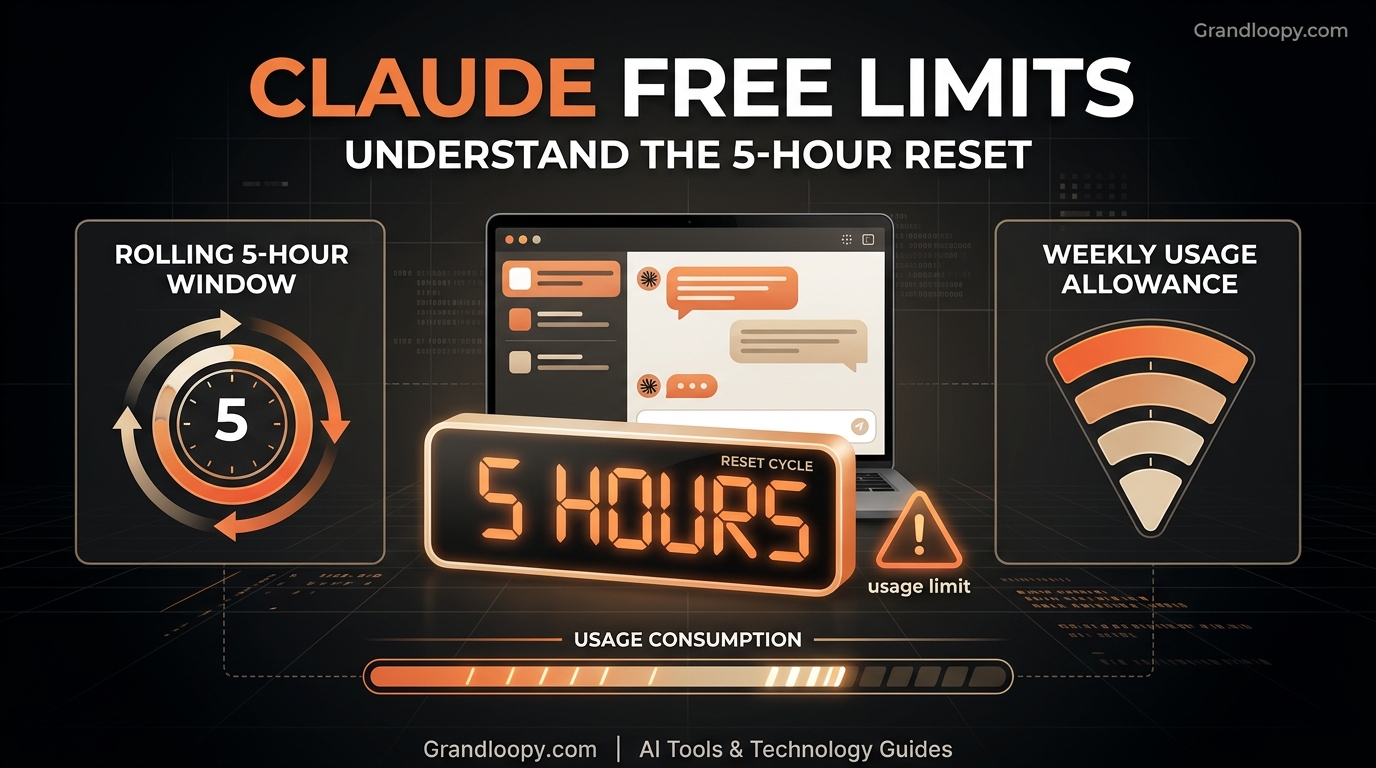
Free users get a session-based usage allowance that resets every five hours. The window starts when you send your first message and slides forward continuously.
If you use up your free quota at 9 in the morning, it resets at 2 in the afternoon, not the next morning.
That timing matters. A heavy morning session can leave you waiting until the afternoon, but a spread-out day rarely hits the wall.
If you use Claude for 20 minutes in the morning, 20 minutes at lunch, and 20 minutes in the evening, you are unlikely to hit the limit on most days.
Burst research sessions hit it faster than light back-and-forth chat.
Paid plans add a weekly limit on top of the five-hour window. The weekly cap resets at a fixed day and time assigned to your account.
Pro also has a separate Opus-only weekly meter beside it.
All of it is one pool shared across claude.ai on web, desktop, mobile, and Claude Code, so a long coding session in the evening leaves less room in chat the next day.
Does the Free Plan Have a Weekly Limit? Yes
Some guides claim the free plan has no weekly limit. That claim is wrong.
The official pricing page, read on November 24, 2026, lists Free as “Limited usage every 5 hours and every week”, and its feature table lists “Limit every week: Limited” for Free.
The claim of no weekly limit comes from one competitor page and contradicts the official page, so the official page wins here.
The weekly limit is the second ceiling, and it is the one that catches people who use Claude steadily all week. A single heavy day hits the five-hour window.
A steady week of heavy days hits the weekly cap. Both reset on their own schedule, and neither is a message count.
How Many Messages Is That, Really?
Anthropic does not publish a fixed message count, and that is deliberate.
How far the free allowance goes depends on the length of your chats, the files you attach, the model, and the features you use.
The official pricing FAQ says exactly that, and it adds that Free covers everyday questions while Pro gives at least five times more usage per five-hour session than Free.
Competitors publish estimates, and the estimates conflict, so they are shown here by source and never merged into one number.
| Source | Estimate | Date |
|---|---|---|
| Anthropic help guidance, via one competitor | Around 45 messages every five hours, often more depending on capacity | October 2026 |
| One free-tier guide | 15 to 40 messages per five-hour window, depending on prompt complexity and system demand | June 2026 data |
| Another free-tier guide | 15 to 40 messages per window, depending on server demand and message length | November 2026 |
| A third free-tier guide | 50 to 80 or more under light load, 30 to 50 under normal load, 10 to 25 under heavy load | November 2026 |
The honest reading is that short, simple questions consume very little quota, while long conversations with big documents attached consume much more.
A single conversation where you paste in a 100-page PDF and ask 15 detailed questions about it eats quota faster than 50 short back-and-forths.
Anthropic also uses dynamic capacity allocation, so when many people use Claude at once, free users get de-prioritised compared with paid subscribers.
What Uses Your Allowance Faster
Long conversations use it faster, because every new message in a long thread re-processes the full history. Big file uploads use it faster, because Claude reads the whole file.
Tool use and heavier models use it faster. Extended thinking, the mode where Claude shows more reasoning, uses significantly more quota per message, so save it for genuinely hard problems.
Starting a fresh chat for a new task is the simplest way to stretch the allowance. A fresh chat has no history to re-process, so each message costs less.
Keeping Project instructions tight matters too, because a 500-word instruction document loaded into every conversation adds real token weight.
What Happens When You Hit the Limit
Claude tells you. It does not stop mid-sentence or give a cryptic error. You get a clear message that you have reached your usage limit and when your quota resets.
You can see the reset time and plan around it.
When you reach a limit, you have three options: wait for it to reset, move to a higher plan, or, on paid plans only, turn on usage credits to keep working at standard API rates.
Free users do not get usage credits. There is no option to pay per message or buy a one-time boost on the free tier.
How to Check Your Remaining Usage
You can see where you stand at any time in Settings, then Usage.
The screen shows your five-hour window and your weekly limit, so you know before you start a long session whether you have room for it.
Check it before a big document job, not after you hit the wall mid-task.
What the Free Plan Does NOT Include
None of the items below are trials or teasers on Free. They are simply off.
Knowing the list in advance stops the most common disappointment, which is signing up for a feature that was never on the free plan.
Opus and Fable
Opus and Fable are paid only. Opus is the most capable model for the hardest reasoning and coding tasks, and Fable is the top model for demanding reasoning and long agent runs.
Free-plan chat runs on Sonnet by default, and you cannot select Opus or Fable from a free account at any price.
Claude Code
Claude Code is not included on the Free plan. It is included in all paid plans, starting with Pro, and it shares the same usage limits as your chats.
The software is free to install, but using it needs a paid plan or a pay-as-you-go API account.
The full Claude Code section below covers the three ways to pay for it and the billing trap that catches new users.
Research, Claude in Chrome, Microsoft 365, and Cowork
Research is paid only. Claude in Chrome, which brings Claude into the browser to work alongside any page, is paid only. Claude for Microsoft 365 and Claude for Microsoft Outlook are paid only.
Cowork, the desktop agent that handles multi-step background tasks, is paid only. Claude Science and Claude Dashboards in beta are paid only.
Usage Credits and Priority Access
Usage credits, which let paid users keep working after a limit at standard API rates, are paid only. Priority access at high traffic times is paid only, on Max and Ultra.
Early access to advanced features is paid only, on Max and Ultra. On Free, when the platform is busy, you wait.
| Feature | Free | Pro | Max | Ultra |
|---|---|---|---|---|
| Sonnet and Haiku | Yes | Yes | Yes | Yes |
| Opus | No | Yes | Yes | Yes |
| Fable | No | Via usage credits | Included up to half the weekly limit | Included up to half the weekly limit |
| Claude Code | No | Yes | Yes | Yes |
| Research | No | Yes | Yes | Yes |
| Claude in Chrome | No | Yes | Yes | Yes |
| Projects | Up to 5 | Yes | Yes | Yes |
| Usage credits | No | Yes | Yes | Yes |
| Monthly API credits | None | None | $100 a month | $200 a month |
| Priority access at busy times | No | No | Yes | Yes |
| No 5-hour limit | No | No | No | Yes, for verified accounts |
Claude Free vs Pro vs Max vs Ultra
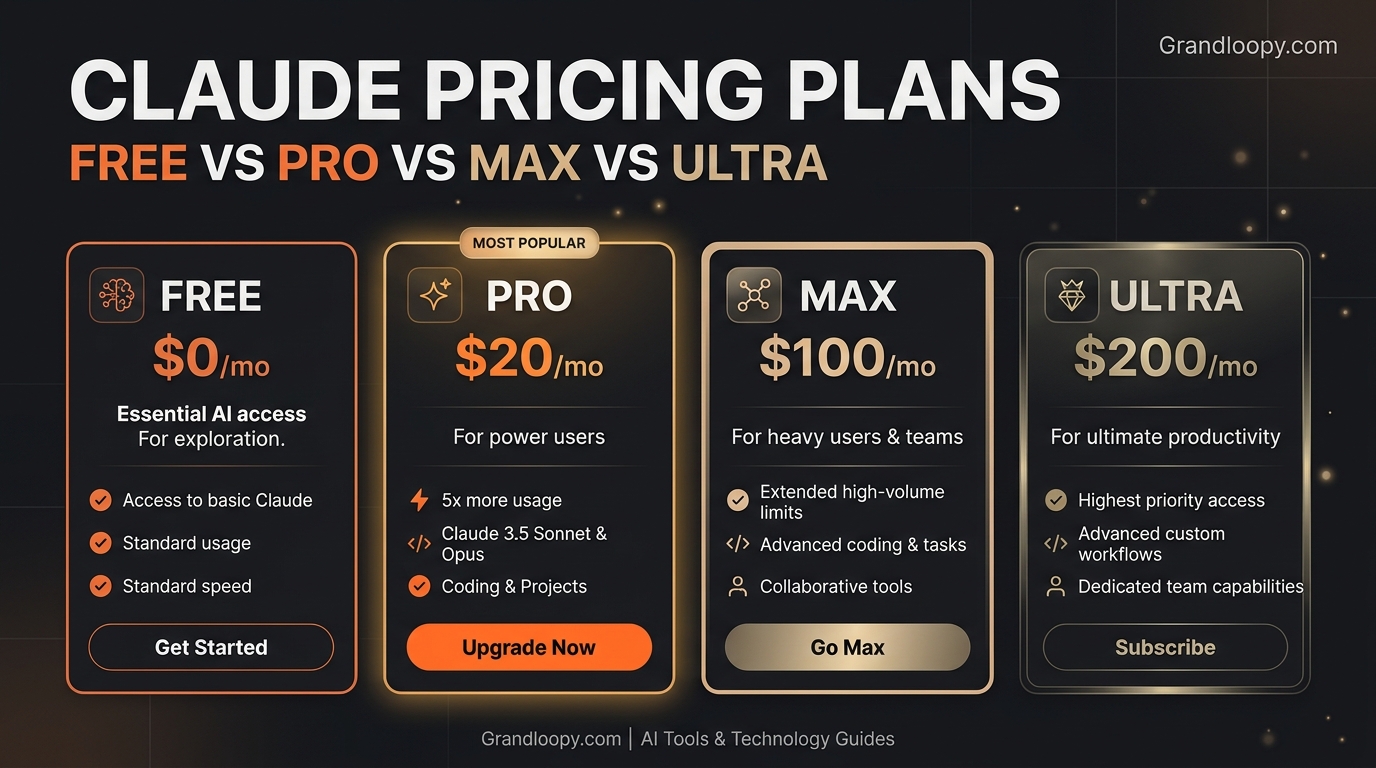
All four individual plans are the same product with different amounts of usage. The plan decides whether Opus and Claude Code are included, and the usage multiple decides how often you can use them.
Price alone does not tell you which plan fits.
Prices below are in United States dollars as shown on the official pricing page on November 24, 2026, before tax.
Anthropic says prices and plans are subject to change at its discretion, so check the pricing page before you rely on a number.
| Plan | Price | Usage vs Free | Best for |
|---|---|---|---|
| Free | $0 | Baseline, limited every 5 hours and every week | Trying Claude, occasional questions and writing |
| Pro | $20 a month billed monthly, or $17 a month billed annually at $200 up front | At least 5x Free per 5-hour session | Daily use, Claude Code, Opus, Research |
| Max | $100 a month, monthly billing only | 5x Pro per session and per week | Heavy daily use, all-day work |
| Ultra | $200 a month, monthly billing only | 10x Pro per week, no 5-hour limit for verified accounts | Longest tasks, all-day Claude Code |
| Team Standard | $25 a seat a month, or $20 a seat billed annually | More than Pro per session and member | Small teams, 2 to 150 seats |
| Team Premium | $125 a seat a month, or $100 a seat billed annually | 5x Standard per session and member | Power users on a team |
| Enterprise | $20 a seat a month plus usage at API rates, annual only | No plan or seat limits | Large companies, 20 seats minimum self-serve |
Annual vs Monthly Billing Math
Annual billing is available for Pro and Team only. Max and Ultra are monthly only, which at least lets you move back to Pro after an intense project month. Enterprise is annual only.
| Plan | Monthly billing, yearly total | Annual billing | You save |
|---|---|---|---|
| Pro | $20 a month, $240 a year | $200 billed up front | $40 a year |
| Team Standard, per seat | $25 a month, $300 a year | $240 billed up front | $60 a year per seat |
| Team Premium, per seat | $125 a month, $1,500 a year | $1,200 billed up front | $300 a year per seat |
| Max | $100 a month, $1,200 a year | Monthly only | Nothing, no annual option |
| Ultra | $200 a month, $2,400 a year | Monthly only | Nothing, no annual option |
Annual billing pays off if you are sure you will use Claude for a year. The catch is paying it in one go.
If you are unsure, start monthly and switch to annual in Settings, then Billing, where any unused time is credited toward your first annual invoice.
When Is Claude Pro Worth Paying For?
Four triggers decide it. If none of them apply, stay on Free.
You hit the five-hour limit most days. Pro gives at least five times more usage per session, which removes most of the waiting.
If the limit costs you time every day, $17 to $20 a month pays for itself in recovered hours.
You need Opus or Research. Both are paid only, and no amount of free-tier cleverness unlocks them. If your work needs the hardest reasoning model or the research agent, Pro is the cheapest route.
You code. Claude Code alone justifies Pro for many developers, because it is included in the plan and shares the same usage pool as chat.
If you write code most days, Free was never the right plan.
You want Claude in Chrome or Microsoft 365. Both are Pro features, and both matter only if you live in the browser or in Office apps all day.
Max vs Ultra: What Changes
Max and Ultra used to be called Max 5x and Max 20x. Anthropic renamed the plans and kept the prices, so older pages still say Max 5x and Max 20x.
Both names describe the same two tiers, and the new names are Max and Ultra.
Max gives five times Pro usage per session and per week, Fable included up to half the weekly limit, $100 a month in API credits, priority access, and early feature access.
Ultra gives ten times Pro weekly usage, no five-hour limit for verified accounts, and $200 a month in API credits.
The difference is capacity, not features, and Ultra is for people who work with Claude or Claude Code all day.
Claude Free vs ChatGPT Free vs Gemini Free
The three free plans are now very different products, and the right one depends on the job. ChatGPT Free wins on volume. Gemini Free wins on Google integration and multimodal work.
Claude Free wins on writing quality and long documents. Most people end up using two of them, since all three cost nothing.
The comparison below uses vendor-checked facts from a comparison page that re-checked every claim against the vendors own pages on November 23, 2026.
Treat every number as true on that date, and check the linked page before you rely on it, because AI plans change often.
| Feature | Claude Free | ChatGPT Free | Gemini Free |
|---|---|---|---|
| Free model | Sonnet and Haiku | GPT-5.6 Luna | Auto routing, Gemini 3.6 Flash by default, limited Gemini 3.1 Pro |
| How usage is counted | Work done, rolling 5-hour session plus weekly limit | Unlimited everyday text chat, subject to abuse safeguards | Work done, compute-based limits |
| Message limits | Tightest of the three | Most generous for text chat | Generous, refreshes on a schedule |
| Ads | None, Anthropic pledged ad-free | Shows ads in eligible regions unless you choose Ads-Free, which has fewer messages and reduced tool access | None reported |
| Context window | Up to 1M tokens, varies by model | Smaller, model dependent | Up to 1M tokens on some models |
| File uploads | Included, limits not published | 3 uploads a day, 500 MB library | Included, limits vary |
| Image generation | No | Yes | Yes |
| Web search | Yes | Yes | Yes, with search grounding |
| Best for | Writing, long documents, careful analysis | Volume, versatility, everyday questions | Google apps, research with current data |
One honest note about the comparison: ChatGPT sometimes gives different answers to the same question, which is normal for a model that samples its responses.
The companion guide to why ChatGPT gives different answers explains the mechanism, and it applies to Claude too. Do not treat a single answer from any chatbot as a verified fact.
Claude cannot generate images, which is its clearest gap against the other two. If you need image generation alongside text, Claude Free is the wrong tool, and no plan tier fixes that.
A guide to telling whether an image is AI-generated covers the other side of the same question, how to spot machine-made images in the wild.
| Job | Best free pick | Why |
|---|---|---|
| Long-form writing and editing | Claude Free | Strongest writing quality and long-document handling |
| Many short questions a day | ChatGPT Free | Unlimited everyday text chat |
| Research with current data | Gemini Free | Search grounding and Google integration |
| Code that must run first time | Claude Free | Fewer confident-sounding errors in code and analysis |
| Image generation | ChatGPT Free or Gemini Free | Claude cannot generate images at any tier |
| Work inside Gmail and Docs | Gemini Free | Deepest Google Workspace integration |
Is Claude Code Free?
The software is free to install. Using it is not free on the Free plan. That one distinction confuses more people than any other fact about Claude pricing, so it gets its own section.
Anthropic states it directly in the Claude Code setup documentation: Claude Code requires a Pro, Max, Team, Enterprise, or Console account, and the free claude.ai plan does not include Claude Code access.
The official pricing page says the same thing from the other side, that Claude Code is included in all paid plans.
The Three Ways to Pay for Claude Code
| How you sign in | How you pay | Good fit for |
|---|---|---|
| Pro or Max subscription | Flat monthly fee, Claude Code shares your plan usage limits | Most individuals |
| Team or Enterprise seat | Your organisation pays per seat | Work accounts |
| Console, API account | Pay as you go per token | Occasional use, or heavy use past plan limits |
On a subscription, the limits are shared across Claude and Claude Code.
A long coding session and your chat history draw from one pool, so heavy coding on Pro can use up your chat allowance faster.
The desktop app has the same rule: its Code tab is Claude Code, so it asks a free account to upgrade.
The API-Key Billing Trap
One trap catches a lot of people.
If the ANTHROPIC_API_KEY environment variable is set on your machine, Claude Code can use that key instead of your subscription, and the work gets billed to your API account.
If you meant to use your plan, unset the variable and sign in again. Check this before your first session, not after the first bill.
The same rule holds in the desktop app. The Code tab asks a free account to upgrade, and a paid account with an API key set can still bill the wrong way.
The Claude Code documentation covers setup, and the setup page states the plan requirement plainly.
Is the Claude API Free?
Not free. The API is a separate product with separate billing, and it is the part of “is Claude free” that confuses people most.
Anthropic puts it in one line in its help centre: a paid Claude subscription enhances your chat experience, and the Claude API is billed separately.
You get API keys from the Claude Console, prepay for usage, and pay per million input and output tokens at the rates on the API pricing page. The rate depends on the model.
The Claude Platform is where Console accounts live, and the pricing page there lists the per-token rates.
Free API Credits and Where They End
New Anthropic API accounts receive a small amount of introductory credit to test with. One competitor reports $5, enough for a short test session outside a subscription.
That is the only way to try Claude Code without paying, and it is enough for an afternoon, not a project.
There is no free tier for the API itself. Every token costs money after the introductory credit runs out.
If you are building an app or a script that calls Claude, the API is the right tool, but it is never free.
Monthly API Credits on Max and Ultra
Max plans now include $100 a month in API credits, and Ultra includes $200 a month. The credits do not apply to Claude Code, and they do not apply to the Claude apps.
They are for building on the Claude Platform, and they are the closest thing to free API use that exists.
Team plans include pooled API credits up to $500 a month, also not for Claude Code or the apps.
| Route | What you get | Catch |
|---|---|---|
| Free plan | Chat, search, memory, code execution at $0 | Usage cap, no Claude Code, no API |
| Pro subscription | Claude Code and Opus, at least 5x Free usage | $20 a month, or $200 a year up front |
| Max or Ultra subscription | More usage plus monthly API credits | $100 or $200 a month, monthly billing only |
| Console pay-as-you-go | Claude Code and API access, no subscription | Every token billed, introductory credit is small |
Every Way to Get Claude Free or With Free Credits
Most guides stop at the Free plan. There are five more routes, and three of them are time-limited or closed, so the details matter.
The Free Plan
Anyone can sign up with an email address or a Google account. No credit card, no trial period, no expiry.
This is the route for almost everyone, and it is the only route with no catch beyond the usage cap.
New API Account Credit
Anyone who signs up for the Claude Console gets a small amount of free API credit to test with. One competitor reports $5.
It is enough for an afternoon of testing, not a project, and it expires once spent. This is the cheapest way to try Claude Code without a subscription.
Claude for Startups
Claude for Startups offered one year of Claude Team free for up to five Premium seats, $1,000 in API credits, and higher rate limits.
It also offered up to $45,000 in partner offers for companies founded in the last five years or funded in the last two.
It closed to new applicants on October 13, 2026, according to competitor reporting. If you are building a company, check whether it has reopened before you plan around it.
Team Plan for Scientists and the Education Plan
Scientists at academic and nonprofit research institutions can get Claude at no cost to start through the Team Plan for Scientists.
Universities can buy campus-wide access through the Education plan, with discounted access for students, faculty, and staff plus API credits.
Both routes are institutional, not individual: your school or lab has to be part of it.
What Does Not Exist
There is no Claude Pro student discount, no Pro free trial, and no promo code, according to competitor reporting.
Anthropic does not advertise a Pro trial on its pricing page, and the Free plan is the trial. Students should use the Free plan, or check whether their university has an Education plan.
Anyone promising a Claude promo code is selling something else.
| Route | Who qualifies | What you get | Status, November 2026 |
|---|---|---|---|
| Free plan | Anyone | Chat, search, memory, code execution at $0 | Open, permanent |
| New API account credit | Anyone who signs up for the Console | Small introductory API credit | Open, small amount |
| Claude for Startups | Companies founded in the last five years or funded in the last two | One year of Team, $1,000 in API credits | Closed to new applicants October 13, 2026 |
| Team Plan for Scientists | Scientists at academic and nonprofit institutions | Claude at no cost to start | Institutional, check eligibility |
| Education plan | Universities buying campus-wide | Discounted access plus API credits | Your school has to buy it |
| Pro free trial | Nobody | Nothing | Does not exist |
| Student discount | Nobody | Nothing | Does not exist |
| Promo code | Nobody | Nothing | Does not exist |
7 Ways to Stretch Your Free Quota
Free is enough for a lot of real work if you use it deliberately. Most people waste quota in ways that are easy to fix, and the seven habits below are the fixes that matter.
1. Start Fresh Conversations for New Topics
Long conversation threads accumulate context, which means every new message in that thread is heavier than it would be in a fresh chat, because Claude re-processes the full history.
When you are done with a topic, start a new conversation instead of continuing the old one.
2. Use Projects With Concise Setup
Set up a Project for ongoing work so you do not have to re-explain your context every session.
Keep the Project instructions tight, because a 500-word instruction document loaded into every conversation adds real token weight. Say what Claude needs to know in as few words as possible.
3. Batch Related Questions
Asking three connected questions in one message saves three rounds of back-and-forth. Each round costs quota, so one well-built message goes further than three short ones. Write the full question first, then send it once.
4. Be Specific in Your First Message
Vague first messages waste quota on clarification rounds. A message that names the task, the format, the audience, and the tone gets a usable answer in one shot.
A message that says “write something about this speaker” takes three rounds to refine.
5. Use the Free Plan During Off-Peak Hours for Heavy Work
Evenings and early mornings in United States time tend to give a more generous quota window, because fewer people use the platform.
If you have a big document analysis job or a multi-step writing project, scheduling it for off-peak hours means you are less likely to hit limits mid-task.
6. Do Not Re-Upload Large Files Every Conversation
If you work on a long document repeatedly, put it in a Project once. That way Claude has access to it without you consuming quota on the upload every time.
Re-uploading the same 100-page PDF in every chat is the fastest way to burn a five-hour window.
7. Turn Off Extended Thinking When You Do Not Need It
Extended thinking uses significantly more quota per message, because Claude reasons longer before answering. Save it for genuinely hard problems.
For everyday tasks, standard responses are more efficient, and the answer is usually just as good.
Who Should Stay Free and Who Should Pay
The deciding question is usually Claude Code, not message counts. If you do not code, Free is often enough. If you code daily, Pro is the cheapest plan that works.
The matrix below makes the decision concrete.
| What you want to do | Cheapest option that works |
|---|---|
| Ask questions, draft writing, summarise documents | Free |
| Analyse a spreadsheet or build a chart from a CSV | Free, with code execution on |
| Use Claude Code in a terminal, IDE, or the desktop app Code tab | Pro, or a Console account if you only code now and then |
| Use Opus or Research | Pro |
| Hit limits most days | Max |
| Work with Claude all day, every day | Ultra |
| Build an app or script that calls Claude | API, billed per token |
| Run Claude for a whole team | Team Standard or Premium |
Students get the most from Free by using it for essays, summaries, and study plans, and by starting fresh chats per subject.
One competitor guide for students notes that the free plan handles a 3,000-word blog post draft, refined twice, in one session without trouble.
If you use AI for coursework, the companion guide to beating ALEKS with AI covers the academic-integrity line: use AI as a tutor, not as a shortcut, and check your school rules first.
Writers and analysts get the most from Free by keeping documents in Projects and batching questions.
The free plan handles a 40-page research paper summary, methodology check, and comparison with a second paper in one session, according to competitor reporting. That is real work, not a demo.
Small business owners get the most from Free by using it for drafts, customer replies, and spreadsheet analysis, and by upgrading only when the five-hour limit starts costing them time.
A guide to making money with AI covers the business side, including which AI tasks actually pay, and it pairs well for anyone turning free AI use into income.
Is Claude Free for Commercial Use?
Yes, the Free plan works for commercial use in the sense that you can use it for work tasks, drafts, and analysis.
There is no separate commercial tier for the chat app, and the free plan does not block business use.
Two limits apply. First, the usage cap is the same whether you use Claude for fun or for work, so a business that leans on Claude all day will hit it.
Second, you own your Claude outputs under the Consumer Terms, but purely AI-generated content has no copyright protection under current United States law, because copyright needs human authorship.
That rule comes from Copyright Office guidance from 2023 to 2025 and the Thaler versus Perlmutter decision, and it applies to every chatbot, not just Claude.
If you build a product on Claude, use the API, not the chat app. The API is built for products, with per-token billing and terms written for developers.
The chat app is built for people doing their own work.
Common Mistakes About Claude Free
Five mistakes cause most confusion about the free plan. Every one of them is avoidable.
- Expecting a fixed message count. Anthropic publishes no fixed count, and the estimates vary by source. Watch your usage in Settings, not a number from a blog post.
- Assuming Free has no weekly limit. The official pricing page lists Free as limited every five hours and every week. One competitor says otherwise, and that competitor is wrong.
- Trusting stale model names. Pages from early 2026 list old model versions and old context windows. The official pricing page lists family names and up to 1M tokens of context on every plan, including Free.
- Installing Claude Code and expecting it to work free. The install is free, the use is not. Claude Code needs Pro, Max, Team, Enterprise, or a Console account.
- Setting an API key and billing the wrong account. If the ANTHROPIC_API_KEY variable is set, Claude Code can bill your API account instead of your subscription. Unset it and sign in again.
Accuracy matters here too. Chatbots can state an outdated price or an invented command flag with full confidence, and Claude is no exception.
The companion guide to stopping AI chatbots from making up sources explains how to check any claim a chatbot makes before you trust a price or a fact from any AI assistant.
Frequently Asked Questions
Is Claude AI free?
Yes. Claude has a Free plan that costs $0, needs no credit card, and never expires.
It includes Sonnet and Haiku, web search, file uploads, code execution, memory, connectors, and up to five Projects, with usage limits that reset every five hours and every week.
Is Claude AI completely free to use?
Yes, the Free plan is genuinely free, not a trial. There is no expiry date, no credit card, and no paywall after a set number of days.
The only cost is the usage limit, which resets on a rolling five-hour window.
Do I need a credit card to use Claude for free?
No card is needed. Signing up needs only an email address or a Google account, with no payment details needed at any point. You add payment details only if you choose to upgrade.
Can I use Claude AI without an account?
An account is required. You need a free account, created with an email address or a Google account. Sign-up takes about two minutes, and there is no anonymous mode on claude.ai.
Which Claude model is free?
Sonnet and Haiku are free. Sonnet is the everyday model and the default on Pro too. Haiku is the faster, smaller model. Opus and Fable need a paid plan.
Is Claude Opus free?
Opus is paid only. It is only on paid plans, starting with Pro. Claude Free gives you Sonnet and Haiku, and you cannot select Opus from a free account.
What is the Claude free message limit?
There is no fixed message count. Anthropic uses a rolling five-hour session window plus a weekly limit, and how far the allowance goes depends on message length, files, and the model.
Competitor estimates range from 15 to 40 messages per window to 50 to 80 under light load, and none of them is official.
How does the 5-hour limit work?
The window starts with your first message and resets five hours later, sliding forward continuously. If you hit the limit at 9 in the morning, it resets at 2 in the afternoon.
Paid plans add a weekly limit on top.
What happens when I hit the Claude free limit?
Claude tells you that you have reached your usage limit and when your quota resets. You wait for the reset or upgrade.
Usage credits, which let you keep working at API rates, are only available on paid plans.
How do I check my remaining Claude usage?
Go to Settings, then Usage. The screen shows your five-hour window and your weekly limit, so you can see where you stand before you start a long session.
Does Claude free have a weekly limit?
Yes. The official pricing page lists Free as limited every five hours and every week, and its feature table lists a weekly limit of “Limited” for Free.
One competitor claims otherwise, and that claim contradicts the official page.
Is Claude Code free?
The install is free, but using it is not free on the Free plan. Claude Code needs a Pro, Max, Team, Enterprise, or Console account. It shares the same usage limits as your chats.
Is the Claude API free?
The API is never free. It is billed separately per token through a Console account. New accounts get a small introductory credit, reported as $5, and Max plans include monthly API credits.
A subscription does not include API use.
How much does Claude Pro cost?
Pro costs $20 a month billed monthly, or $17 a month billed annually at $200 up front, before tax. Annual billing saves $40 a year compared with paying monthly.
Is Claude Pro worth it?
Pro is worth it if you hit the five-hour limit most days, need Opus or Research, code with Claude Code, or want Claude in Chrome or Microsoft 365.
If none of those apply, stay on Free.
Is there a free trial of Claude Pro?
No trial exists. Anthropic does not advertise a Pro trial on its pricing page. The Free plan is the trial.
Team plans are self-serve, so a company can start one and cancel, but that is a paid month, not a trial.
Is there a student discount for Claude?
No discount exists. There is no individual student discount, according to competitor reporting. Students should use the Free plan, or check whether their university buys the Education plan for campus-wide access.
Is Claude free for commercial use?
Yes, you can use the Free plan for work tasks, drafts, and analysis.
You own your outputs under the Consumer Terms, but purely AI-generated content has no copyright protection under current United States law, because copyright needs human authorship.
Does Claude Free train on my data?
Not if you opt out. Model training is opt-out on every plan, including Free, and you can turn it off in settings. The setting is the same whether you pay or not.
Is Claude free really ad-free?
Yes. Anthropic has pledged to keep Claude ad-free, according to competitor reporting. ChatGPT Free shows ads in eligible regions unless you choose its Ads-Free experience, which has fewer messages and reduced tool access.
What is the difference between Claude Free and Claude Pro?
Pro gives at least five times more usage per five-hour session, adds Opus, Claude Code, Research, Claude in Chrome, Microsoft 365, and Projects with no stated cap, and adds usage credits.
Free gives Sonnet and Haiku with the same core features and a five-Project cap.
What is the difference between Claude Max and Claude Ultra?
Max gives five times Pro usage per session and per week for $100 a month, plus $100 a month in API credits.
Ultra gives ten times Pro weekly usage for $200 a month, no five-hour limit for verified accounts, and $200 a month in API credits. Both include Fable up to half the weekly limit.
Why do some pages still say Max 5x and Max 20x?
Anthropic renamed the plans and kept the prices. Max used to be called Max 5x and Ultra used to be called Max 20x.
Older pages still use the old names, and both names describe the same two tiers.
Is Claude free better than ChatGPT free?
It depends on the job. Claude Free wins on writing quality, long documents, and careful analysis. ChatGPT Free wins on volume, with unlimited everyday text chat, and on image generation, which Claude cannot do.
Many people use both, since both cost nothing.
Is Claude free better than Gemini free?
It depends on the job. Claude Free wins on writing quality and long documents. Gemini Free wins on Google Workspace integration, search grounding, and multimodal work.
If you live in Gmail and Docs, Gemini Free is the better pick.
Conclusion
Yes, Claude AI is free, and the free plan is generous enough for real work.
You get Sonnet and Haiku, web search, files, Artifacts, memory, and five Projects, with no credit card and no expiry date.
The catch is volume, not quality, and the five-hour window plus the weekly limit decide whether Free is enough for you.
Pay only when the limit costs you time.
Pro at $17 to $20 a month is the right move when you hit the wall most days, need Opus or Claude Code, or want Research and Claude in Chrome.
Max and Ultra exist for people who live in Claude all day. Everyone else should start free, use the seven tips above, and upgrade the month the limit starts getting in the way.
Try Claude Free at claude.ai and see whether the free plan covers your work. If it does, you have a capable AI assistant for $0.
If it does not, you will know exactly which feature made you upgrade, and that is the cheapest way to decide.