Why Are Small Businesses Switching to Digital Invoices? 10 Key Reasons
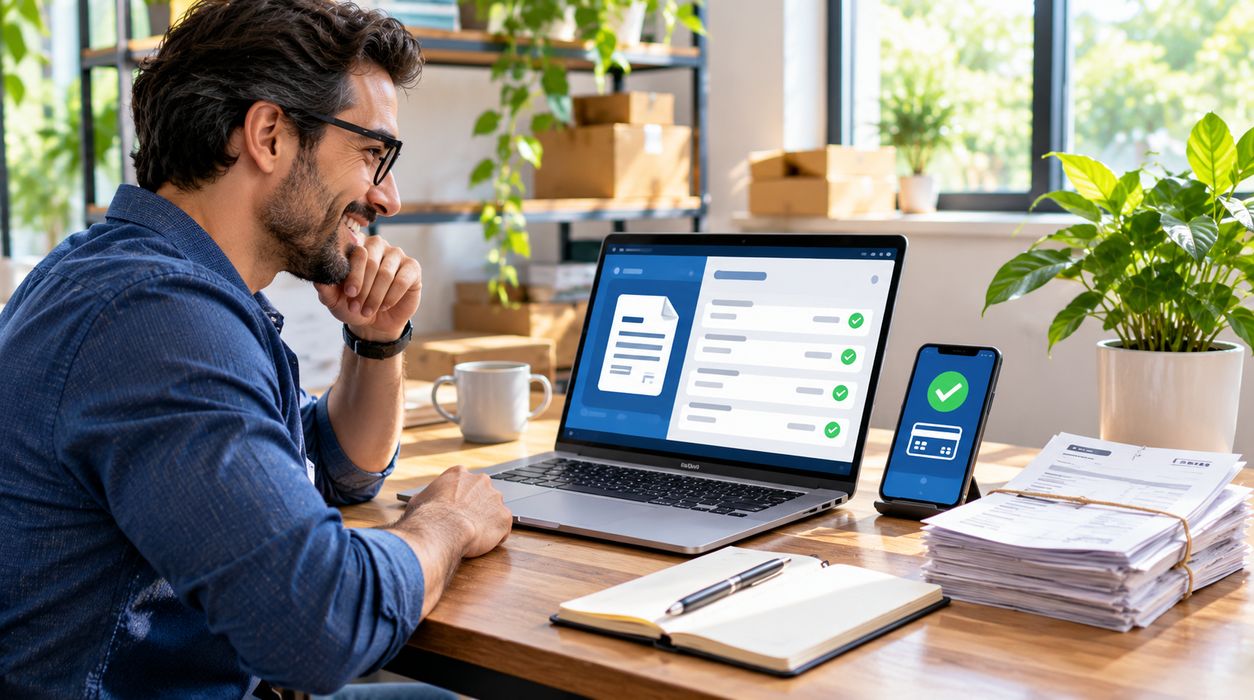
Running a small business means managing more than customers and sales. Business owners also need to track expenses, send bills, follow up on unpaid balances, and keep accurate financial records.
For years, many small businesses handled these tasks with paper invoices, spreadsheets, and emailed documents. Those methods still work in some situations, but they can become difficult to manage as a business grows.
That’s one reason small businesses are switching to digital invoices.
Digital invoicing software can help businesses create bills, organize customer records, track payments, and reduce repetitive administrative work. More advanced electronic invoicing systems can also exchange structured invoice data directly between business applications.
However, switching to digital invoices does not automatically guarantee faster payments or lower costs. The benefits depend on the software, customers, payment terms, and implementation.
This guide explains ten reasons businesses are adopting digital invoicing, how the technology works, its potential disadvantages, and how to make the transition successfully.
What Is Digital Invoicing?
Digital invoicing is the process of creating, sending, managing, and storing invoices electronically rather than relying entirely on paper documents.
A digital invoice typically contains:
- Business and customer information
- A unique invoice number
- The invoice date
- Products or services provided
- Prices and quantities
- Applicable taxes
- The total amount due
- Payment terms
- Accepted payment methods
Businesses can create digital invoices using accounting software, invoicing platforms, or other electronic tools.
Digital Invoices vs. Electronic Invoices
Although the terms are often used interchangeably, there is an important distinction.
A digital invoice may simply be a PDF sent by email.
Structured electronic invoicing, often called e-invoicing, involves exchanging invoice data in a standardized, machine-readable format between business systems.
For example, an e-invoice sent through a compatible network may enter a customer’s accounting system without requiring someone to retype the information.
Australia’s official government guide to eInvoicing explains how standardized networks such as Peppol support secure invoice exchange between businesses.
Not every digital invoice is a structured e-invoice.
1. Digital Invoices Save Administrative Time
One of the biggest reasons small businesses adopt digital invoicing is the potential to reduce repetitive work.
Traditional invoicing may require employees to create documents manually, enter customer details, calculate totals, send invoices, and maintain separate payment records.
Digital software can simplify several of these tasks.
How Digital Invoicing Saves Time
Depending on the platform, businesses may be able to:
- Create invoices from saved templates
- Automatically calculate totals
- Reuse customer information
- Generate recurring invoices
- Send scheduled reminders
- Track invoice statuses
- Export financial reports
Example: A Small Marketing Agency
Imagine a marketing agency sending 60 invoices every month.
If creating, sending, and recording each invoice manually takes 10 minutes, the business spends approximately 10 hours monthly on those activities.
If a digital system reduces that work to four minutes per invoice, the same activities would take about four hours.
That represents six hours saved in this hypothetical example.
Actual savings depend on the business and the software.
Why This Matters
Small business owners often handle several responsibilities themselves.
Reducing administrative work can free up time for customer service, sales, and business development.
2. Businesses Can Send Invoices Faster
Paper invoices may need to be printed, packaged, mailed, or delivered.
Even emailed PDF invoices can require manual preparation.
Digital invoicing systems allow businesses to prepare and send bills soon after delivering a product or service.
Why Invoice Timing Matters
A customer generally cannot process an invoice they have not received.
Delays in issuing invoices can delay the beginning of the payment process.
Sending accurate invoices promptly gives customers the information they need to approve and schedule payments.
Can Digital Invoices Guarantee Faster Payments?
No.
Payment timing also depends on:
- Contractual payment terms
- Customer approval processes
- Available funds
- Banking systems
- Invoice accuracy
- Payment methods
Digital invoicing may reduce administrative delays, but it cannot eliminate every reason for late payment.
3. Digital Invoices Make Payment Tracking Easier
When businesses use paper invoices or disconnected spreadsheets, it can be difficult to identify which customers have paid.
An organized digital system can provide a centralized view of outstanding balances.
Common Invoice Statuses
Many platforms organize invoices into categories such as:
- Draft
- Sent
- Viewed
- Partially paid
- Paid
- Overdue
- Canceled
Not every platform supports every status.
Why Payment Visibility Is Useful
Suppose a small consulting company has 40 outstanding invoices.
Instead of searching through emails and bank statements individually, the owner may be able to review a dashboard showing which invoices require attention.
This can improve collections management and reduce overlooked balances.
What About Partial Payments?
Some platforms support deposits, installment payments, and partial settlements.
Businesses should confirm that their chosen software handles the payment arrangements they actually use.
4. Automated Reminders Can Reduce Manual Follow-Ups
Following up on unpaid invoices can be time-consuming.
Business owners may hesitate to send reminders because they do not want to damage customer relationships.
Digital invoicing software can automate some of this communication.
How Automated Reminders Work
A business may configure reminders to be sent:
- Before the payment due date
- On the due date
- Several days after the due date
- At another agreed follow-up interval
Benefits of Reminder Automation
Automated reminders can help businesses:
- Maintain consistent communication
- Reduce forgotten follow-ups
- Save administrative time
- Provide customers with payment details
- Identify accounts that require personal attention
Avoid Sending Too Many Reminders
Excessive notifications can frustrate customers.
Use reasonable schedules that match contractual terms and customer relationships.
A reminder should be accurate, professional, and easy to understand.
5. Digital Invoicing Can Reduce Manual Errors
Manual invoicing introduces opportunities for mistakes.
Common errors include:
- Incorrect customer names
- Wrong invoice numbers
- Calculation mistakes
- Duplicate invoices
- Missing payment details
- Incorrect tax amounts
- Outdated billing addresses
Digital software can reduce some of these problems through templates, automatic calculations, and validation rules.
Does Automation Eliminate Invoice Errors?
No.
If incorrect prices, tax settings, or customer details are entered into the system, the software may reproduce those mistakes.
Businesses still need review and approval procedures.
Why Accuracy Matters
An incorrect invoice may be rejected or require revision.
This can delay payment and create unnecessary communication.
Research published by HM Revenue & Customs on electronic invoicing among small and medium-sized enterprises examines how businesses use e-invoicing and the benefits and challenges they report.
A Practical Quality-Control Checklist
Before sending an invoice, confirm:
- Customer details
- Services or products delivered
- Prices and discounts
- Tax treatment
- Payment due date
- Payment instructions
Automation works best when combined with accurate business data.
6. Digital Invoices Support Better Cash Flow Management
Cash flow is the movement of money into and out of a business.
A company can be profitable on paper while still experiencing cash shortages if customers pay late.
Digital invoicing tools can improve visibility into expected incoming payments.
How Digital Invoicing Helps Cash Flow
A business may be able to monitor:
- Total outstanding invoices
- Overdue balances
- Upcoming payment dates
- Customer payment patterns
- Monthly billing totals
- Expected collections
Example: A Freelance Design Studio
Consider a studio that sends invoices worth $12,000 during a month.
If $5,000 remains unpaid after the agreed due dates, the owner needs to know which clients are responsible and when payment is expected.
A digital dashboard can make this information easier to review.
It does not create the missing cash, but it helps the business manage collections more effectively.
Can Digital Invoicing Improve Financial Planning?
Potentially.
Better visibility into receivables can support decisions about expenses, hiring, and upcoming obligations.
However, businesses should distinguish expected payments from money already received.
7. Digital Invoices Make Financial Records Easier to Organize
Small businesses need reliable financial records for bookkeeping, reporting, tax preparation, and internal decision-making.
Paper invoices can be misplaced or damaged.
Digital systems can help organize invoice information and supporting documents.
What Records Should Businesses Keep?
Requirements vary by country, business type, and transaction.
Common records include:
- Sales invoices
- Purchase invoices
- Receipts
- Payment confirmations
- Credit notes
- Refund records
- Relevant contracts
The Internal Revenue Service’s small business recordkeeping guidance explains that businesses should maintain records that clearly show income and expenses.
Are Digital Records Acceptable for Taxes?
Electronic records can be acceptable, but they must meet applicable legal requirements.
In the United States, electronic recordkeeping systems must provide complete and accurate records accessible when required.
Other countries have their own rules concerning retention periods, invoice formats, and tax reporting.
Why Backup Matters
A digital record is not automatically safe simply because it is stored online.
Businesses should consider:
- Secure backups
- Access permissions
- Data export capabilities
- Retention requirements
- Account recovery procedures
A reliable invoicing system should make it possible to retrieve important financial records when needed.
8. Digital Invoicing Can Improve Customer Experience
Customers benefit when invoices are clear, accurate, and easy to access.
A confusing invoice can lead to questions, disputes, and payment delays.
Features Customers May Appreciate
Depending on the system, digital invoices can offer:
- Clear itemized charges
- Accessible payment instructions
- Downloadable copies
- Multiple supported payment options
- Payment confirmation
- A record of previous invoices
Does Every Customer Want Digital Invoices?
No.
Some customers prefer traditional documents or have specific procurement requirements.
Others may need structured e-invoices that integrate with their accounting systems.
Businesses should consider customer preferences and contractual obligations.
How to Make Invoices More Professional
Use a consistent format with:
- Your business name
- Contact information
- Accurate invoice numbers
- Clear service descriptions
- Payment terms
- Relevant tax information
Avoid excessive design elements that make essential information difficult to find.
9. Digital Invoicing Supports Remote and Growing Businesses
Many small businesses work with customers and employees in different locations.
Paper-based workflows can become inconvenient when billing staff, managers, and customers are not in the same office.
Cloud-based invoicing platforms may allow authorized users to work from different locations.
How This Helps Remote Teams
A remote team may be able to:
- Prepare invoices online
- Review billing details
- Approve invoices
- Monitor outstanding payments
- Share records with accountants
- Access customer histories
Why Growing Businesses Need Scalable Systems
A business sending five invoices monthly may manage comfortably with a spreadsheet.
At 500 invoices monthly, manual tracking can become much more demanding.
Digital systems can help standardize workflows as transaction volumes increase.
Is Cloud Invoicing Always Better?
Not necessarily.
Businesses must evaluate reliability, subscription costs, data access, security, and integration requirements.
Some organizations may prefer locally managed software or hybrid arrangements.
For more coverage of technology in business operations, explore Grandloopy’s AI & Technology section.
10. Electronic Invoicing Is Becoming Part of Business Modernization
Digital invoicing is increasingly connected to broader changes in accounting, payments, procurement, and financial reporting.
Some governments are also developing or expanding structured e-invoicing requirements.
Why Governments Are Interested in E-Invoicing
Structured invoicing can support more consistent transaction data and reduce some manual processing.
Depending on the jurisdiction, it may also support tax administration and compliance processes.
Does Every Business Have to Use E-Invoicing?
No universal rule applies.
Requirements depend on the country, transaction type, tax status, and implementation dates.
Businesses should check current local rules before assuming that a particular invoice format is mandatory.
Why This Matters for Small Businesses
Even when e-invoicing is optional, customers or suppliers may request compatible electronic invoices.
A business that can accommodate these requirements may find it easier to work with certain commercial partners.
For related developments affecting companies and entrepreneurs, visit Grandloopy’s Business News category.
Digital Invoices vs. Paper Invoices: What’s the Difference?
| Feature | Paper Invoices | Digital Invoices |
|---|---|---|
| Creation | Often manual | Can use templates and automation |
| Delivery | Physical or scanned | Email, portal, or electronic network |
| Tracking | Manual records | Potentially centralized dashboard |
| Storage | Physical filing | Electronic storage |
| Searchability | Depends on filing | Often searchable |
| Reminders | Usually manual | May be automated |
| Integrations | Limited | Depends on software |
| Security | Physical loss or access risks | Cybersecurity and access risks |
| Costs | Printing, postage, storage | Software, setup, subscriptions |
Neither format is inherently perfect.
The right choice depends on business requirements, customer needs, and legal obligations.
How to Switch From Paper to Digital Invoicing
Moving to digital invoices does not need to happen overnight.
A gradual approach can reduce mistakes and disruption.
Step 1: Review Your Current Process
Document how invoices are currently created, approved, sent, and tracked.
Identify recurring problems such as:
- Duplicate data entry
- Missing invoices
- Late reminders
- Inconsistent templates
- Difficult payment reconciliation
Step 2: Choose Suitable Software
Compare platforms based on:
- Invoice volume
- Monthly cost
- Payment integration
- Customer management
- Tax features
- Security
- Accounting integrations
- Data export options
- Customer support
Avoid paying for advanced features your business does not need.
Step 3: Set Up Your Business Information
Enter accurate business details, including applicable tax identifiers and contact information.
Configure invoice numbering and payment terms.
Step 4: Import Customer Records
Transfer customer information carefully.
Check for duplicate records and outdated billing addresses.
Step 5: Create a Professional Invoice Template
Use clear descriptions, payment terms, and invoice references.
Make sure the template satisfies applicable legal requirements.
Step 6: Test the Workflow
Send a test invoice to an authorized test recipient.
Confirm that the invoice displays correctly and that payment instructions work as intended.
Step 7: Train Your Team
Explain how to create, approve, correct, and reconcile invoices.
Define who can change payment information.
Step 8: Start With a Small Group of Customers
A limited rollout can reveal problems before they affect the entire business.
Step 9: Review Results
Monitor administrative time, errors, costs, and customer feedback.
Step 10: Expand Gradually
Once the process works reliably, transition additional customers and billing workflows.
What Should Small Businesses Look for in Digital Invoicing Software?
The best platform is not necessarily the one with the most features.
Choose software that solves your actual billing problems.
Essential Features
For many small businesses, useful features include:
- Invoice creation
- Customer records
- Unique invoice numbering
- Payment status tracking
- Invoice reminders
- Downloadable records
- Reporting
- Secure access controls
Advanced Features
Depending on your needs, consider:
- Recurring billing
- Multiple currencies
- Partial payments
- Credit notes
- Payment gateway integrations
- Accounting synchronization
- Structured e-invoicing support
- Approval workflows
Security Questions to Ask
Before choosing a provider, investigate:
- Whether multifactor authentication is supported
- How user permissions work
- Whether data can be exported
- How backups are handled
- What happens if the service closes
- Whether payment details can be changed without approval
These considerations are particularly important for businesses handling sensitive customer information.
What Are the Disadvantages of Digital Invoicing?
Digital invoicing offers useful capabilities, but it also introduces challenges.
Software Costs
Some providers charge monthly subscriptions, transaction fees, or additional integration costs.
Learning Curve
Employees may need training to use a new platform correctly.
Internet Dependence
Cloud services may be unavailable during connectivity problems or provider outages.
Cybersecurity Risks
Invoice fraud, account compromise, and unauthorized payment-detail changes remain concerns.
Integration Problems
A platform may not work smoothly with existing accounting or customer management software.
Customer Compatibility
Some customers may require specific invoice formats or still rely on manual approval procedures.
Businesses should evaluate these disadvantages before migrating.
Can Digital Invoicing Help Prevent Invoice Fraud?
Digital invoicing systems may offer security features that reduce certain risks.
However, no platform eliminates fraud.
Common Invoice Fraud Risks
Fraudsters may attempt to:
- Send fake invoices
- Impersonate suppliers
- Change payment instructions
- Compromise email accounts
- Redirect payments to fraudulent bank accounts
Practical Prevention Steps
Businesses should:
- Use multifactor authentication where available.
- Limit who can modify payment details.
- Verify unexpected banking changes through a trusted contact method.
- Review invoices before approval.
- Train staff to recognize suspicious messages.
- Maintain appropriate financial controls.
Structured e-invoicing networks may provide additional controls, but security still depends on implementation and user behavior.
Is Digital Invoicing Worth It for Freelancers?
Freelancers often send fewer invoices than larger businesses, but they may still benefit from organized billing.
Potential Benefits
- Faster invoice preparation
- Consistent formatting
- Easier payment tracking
- Better record organization
- Reduced manual reminders
When a Simple System May Be Enough
A freelancer sending only a few invoices each year may not need an expensive subscription.
A basic invoicing tool or well-maintained digital workflow may be sufficient.
The important factor is reliability, not software complexity.
For more practical guides for independent professionals, browse Grandloopy’s Blog section.
How Much Does Digital Invoicing Cost?
Costs vary widely.
Some systems offer free plans with limited functionality.
Others charge monthly subscriptions or fees based on users, invoices, or transactions.
Possible Expenses
Consider:
- Software subscription
- Payment processing fees
- Initial setup
- Staff training
- Data migration
- Integrations
- Technical support
How to Estimate Return on Investment
Compare the total cost with the time and administrative work the software may save.
For example, suppose a business saves five hours monthly, and that administrative time is valued internally at $25 per hour.
The estimated time value is:
5 hours × $25 = $125 per month
If the invoicing platform costs $30 monthly, the difference is $95 in estimated monthly time value before accounting for setup, training, and other costs.
This is an illustrative calculation, not a guaranteed financial return.
How Digital Invoicing Connects With Other Business Technologies
Digital invoicing can be part of a broader business software ecosystem.
Some platforms integrate with:
- Accounting applications
- Customer relationship management systems
- Online payment processors
- Inventory systems
- Subscription management tools
- Business reporting dashboards
These integrations may reduce duplicate data entry.
However, businesses should verify compatibility before purchasing software.
Will AI Replace Manual Invoicing?
AI-assisted tools may help extract invoice details, categorize transactions, or flag unusual records.
However, automated systems can make mistakes.
Human review remains important, especially for tax information, payment instructions, and financial approvals.
Frequently Asked Questions
Why are small businesses switching to digital invoices?
Small businesses may adopt digital invoices to save administrative time, track payments, improve recordkeeping, reduce manual errors, and support more efficient billing workflows.
Are digital invoices legally valid?
They can be, but legal requirements vary by jurisdiction and transaction type. Businesses should follow applicable tax and recordkeeping rules.
Is a PDF invoice the same as an e-invoice?
Not necessarily. A PDF is a digital document, while structured e-invoicing involves standardized machine-readable data exchanged between systems.
Can digital invoices help businesses get paid faster?
They may reduce billing and processing delays, but actual payment timing depends on customers, payment terms, and other factors.
Do small businesses need expensive invoicing software?
No. Some businesses can meet their needs with basic or low-cost tools.
Can digital invoicing reduce accounting mistakes?
Automation can reduce some manual errors, but businesses still need accurate data and appropriate review procedures.
Are digital invoices secure?
Security depends on the platform, configuration, access controls, and user practices. Businesses should evaluate providers carefully.
Can freelancers use digital invoices?
Yes. Freelancers can use digital invoicing tools to organize billing, monitor payments, and maintain records.
Do digital invoices replace accounting software?
Not always. Some invoicing tools include accounting functions, while others integrate with separate accounting platforms.
Is digital invoicing mandatory in the United States?
There is no single universal requirement for all U.S. businesses to use structured e-invoicing. Specific customers, industries, contracts, or government programs may impose additional requirements.
Final Thoughts
The reason small businesses are switching to digital invoices is not simply that electronic documents look more modern.
Digital invoicing can reduce repetitive administrative work, improve payment visibility, support accurate recordkeeping, and make billing easier to manage as a business grows.
More advanced e-invoicing systems can also help businesses exchange structured financial information with customers and suppliers.
However, the right solution depends on the size of the business, customer requirements, legal obligations, and available budget.
Start by identifying the weaknesses in your current billing process. Then choose a digital invoicing approach that addresses those problems without creating unnecessary complexity.
For many small businesses, a well-designed invoicing workflow can become an important foundation for better financial organization and sustainable growth.

Ryan Mitchell is a passionate writer and digital content creator dedicated to sharing insightful, engaging, and informative articles across multiple niches. With a strong interest in technology, lifestyle, trending topics, and online media, Ryan Mitchell focuses on delivering well-researched and reader-friendly content that inspires and informs audiences worldwide.